


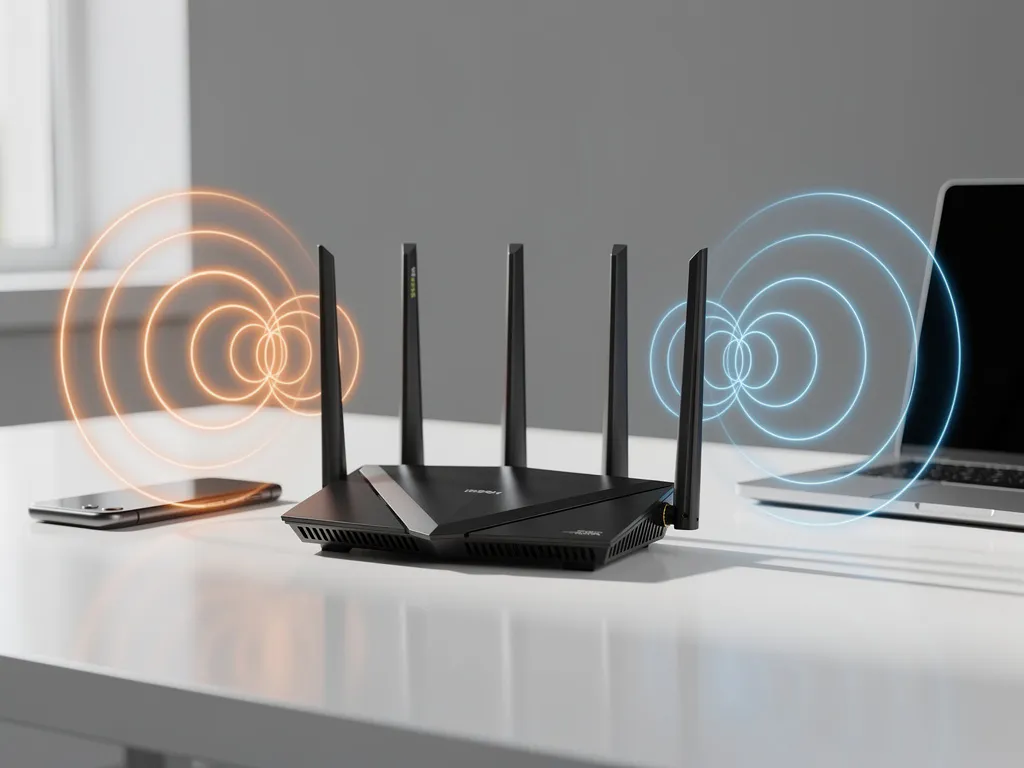
Mesh networks have revolutionized home and business Wi-Fi connectivity by creating seamless coverage across large areas. However, Wi-Fi interference can significantly impact their performance, causing frustrating slowdowns, dropped connections, and dead zones that defeat the purpose of a mesh system.
Understanding how interference affects mesh networks is crucial for maintaining optimal connectivity. Unlike traditional single-router setups, mesh systems rely on multiple nodes communicating with each other, making them particularly susceptible to interference issues that can cascade throughout the entire network.
What is Wi-Fi interference, and how does it impact mesh networks?
Wi-Fi interference occurs when radio signals from other devices disrupt wireless communication between your mesh nodes and connected devices. In mesh networks, interference creates a domino effect because nodes must communicate both with end devices and with each other to maintain seamless connectivity across the network.
Mesh systems are particularly vulnerable to interference because they operate multiple wireless connections simultaneously. Each mesh node typically maintains connections to nearby nodes, creating a wireless backbone that can be disrupted by competing signals. When interference affects communication between nodes, it can fragment the network, forcing devices to connect to more distant nodes or creating complete dead zones.
The impact extends beyond simple speed reduction. Interference can cause mesh nodes to repeatedly attempt reconnection, consuming bandwidth and processing power that should be dedicated to user traffic. This results in increased latency, packet loss, and an overall degraded user experience across the entire mesh network.
What are the most common sources of Wi-Fi interference in mesh networks?
The most common sources of Wi-Fi interference in mesh networks include other wireless devices operating on similar frequencies, physical obstructions, and electronic equipment that emits radio-frequency signals.
Neighboring Wi-Fi networks represent the primary source of interference, especially in dense residential or office environments. When multiple networks operate on the same or overlapping channels, they compete for airtime, reducing available bandwidth for each network. This is particularly problematic for mesh systems because they need clear channels for both client connections and inter-node communication.
Household electronics also contribute significantly to interference. Microwave ovens, baby monitors, Bluetooth devices, and wireless security cameras all operate in the 2.4 GHz band, directly competing with Wi-Fi signals. Cordless phones, especially older models, can cause severe disruption to mesh network performance.
Physical barriers like walls, floors, and large metal objects create interference by reflecting, absorbing, or scattering Wi-Fi signals. In mesh networks, this is especially problematic because it can break the wireless links between nodes, forcing the system to find alternative routing paths that may be less efficient.
How does interference affect mesh network speed and connectivity?
Interference reduces mesh network speed by forcing devices and nodes to retransmit data packets, consuming bandwidth that should be available for new traffic. This creates a cascading effect in which reduced efficiency at one node impacts the entire network’s performance.
When interference disrupts communication between mesh nodes, the system must work harder to maintain connectivity. Nodes may need to increase transmission power, switch to backup communication paths, or repeatedly attempt failed transmissions. Each of these responses reduces the available bandwidth for actual user traffic.
Connectivity issues manifest as frequent disconnections, slow handoffs between nodes, and inconsistent performance across different areas of the network. Users may experience their devices connecting to distant nodes instead of nearby ones, resulting in weaker signals and slower speeds. In severe cases, interference can cause entire sections of the mesh network to become isolated, creating the dead zones that mesh systems are designed to eliminate.
What’s the difference between 2.4 GHz and 5 GHz interference in mesh systems?
2.4 GHz interference is more common and persistent due to the crowded nature of this frequency band, while 5 GHz interference is less frequent but can be more severe when it occurs. Most mesh systems use both bands, making them susceptible to different types of interference on each frequency.
The 2.4 GHz band suffers from chronic overcrowding because it’s used by numerous household devices beyond Wi-Fi networks. With only three non-overlapping channels available, interference is almost inevitable in populated areas. However, 2.4 GHz signals travel farther and penetrate obstacles better, making them valuable for mesh node communication over longer distances.
The 5 GHz band offers more channels and generally experiences less interference from household electronics. However, when interference does occur on 5 GHz, it can be more disruptive because these higher frequencies are more sensitive to physical obstructions and atmospheric conditions. Additionally, some mesh systems rely heavily on 5 GHz for backhaul communication between nodes, making interference on this band particularly problematic for overall network performance.
How can you identify and diagnose Wi-Fi interference problems?
You can identify Wi-Fi interference problems through Wi-Fi analyzer apps, built-in network diagnostics, and systematic testing of network performance across different locations and times of day.
Wi-Fi analyzer applications provide the most comprehensive view of your wireless environment. These tools show which channels are congested, identify competing networks, and reveal signal-strength variations across your coverage area. Look for channels with high utilization, overlapping networks, and signal-strength fluctuations that indicate sources of interference.
Network performance testing should be conducted systematically across your mesh network. Test speeds and connectivity at different nodes, at different times of day, and with various household devices active. Interference often follows patterns related to when certain devices are in use or when neighboring networks are most active.
A physical inspection can reveal sources of interference that electronic tools might miss. Check for new electronic devices, changes in your environment, or neighboring network installations that coincide with performance degradation. Many mesh systems also include built-in diagnostics that can identify communication issues between nodes.
How do you minimize Wi-Fi interference to improve mesh network performance?
You can minimize Wi-Fi interference by optimizing channel selection, strategically positioning mesh nodes, and reducing competing signal sources in your environment. Most modern mesh systems include automatic optimization features, but manual adjustments often yield better results.
Channel optimization is the most effective immediate solution. Use Wi-Fi analyzer tools to identify the least congested channels in both the 2.4 GHz and 5 GHz bands, then manually configure your mesh system to use these channels. For 2.4 GHz, stick to channels 1, 6, or 11 to avoid overlap. For 5 GHz, choose channels with the lowest utilization in your area.
Strategic node placement can significantly reduce the impact of interference. Position mesh nodes away from potential interference sources like microwaves, baby monitors, and metal objects. Ensure a clear line of sight between nodes when possible, and avoid placing nodes near exterior walls, where they might pick up interference from neighboring networks.
Environmental management involves identifying and addressing controllable sources of interference. Replace older wireless devices that operate on crowded frequencies, relocate devices that emit radio-frequency signals, and consider upgrading to mesh systems that support newer Wi-Fi standards with better interference-mitigation capabilities.
Hoe IMPLI-CIT helpt met oplossingen voor wifi-interferentie
Bij IMPLI-CIT begrijpen we dat wifi-interferentie een grote impact kan hebben op uw bedrijfsvoering. Onze ervaren Field Engineers en Data Center Specialists bieden uitgebreide ondersteuning bij het diagnosticeren en oplossen van complexe netwerkproblemen, waaronder wifi-interferentie in mesh-netwerken.
Onze dienstverlening omvat:
- Professionele site surveys en interferentieanalyses
- Optimalisatie van mesh-netwerkconfiguraties
- 24/7 on-site ondersteuning bij kritieke netwerkproblemen
- Preventief onderhoud en monitoring van netwerkprestaties
- Hardware-implementatie en vervangingen
Met meer dan 20 jaar ervaring in IT-services en met onze eigen medewerkers die wereldwijd opereren, zorgen we ervoor dat uw mesh-netwerk optimaal presteert, zonder interferentieproblemen. Neem contact met ons op voor een gratis consultatie over uw netwerkuitdagingen.
[seoaic_faq][{“id”:0,”title”:”How often should I check for Wi-Fi interference in my mesh network?”,”content”:”You should perform basic interference checks monthly and comprehensive analyses whenever you notice performance issues. Set up automated monitoring if possible, as interference patterns can change when neighbors install new networks or when seasonal factors affect signal propagation. After any major changes to your environment or network configuration, run a full interference assessment to ensure optimal performance.”},{“id”:1,”title”:”Can I use the same mesh system if I move to a different location with different interference patterns?”,”content”:”Yes, but you’ll need to reconfigure your mesh system for the new environment. Different locations have unique interference signatures, so you’ll need to run new Wi-Fi analyzer scans, adjust channel selections, and potentially reposition nodes. Most quality mesh systems are adaptable enough to work well in various environments with proper optimization.”},{“id”:2,”title”:”What should I do if my mesh network still has poor performance after addressing interference?”,”content”:”If interference mitigation doesn’t resolve performance issues, check for hardware problems, outdated firmware, or inadequate internet bandwidth from your ISP. Consider whether your mesh system has sufficient capacity for your usage patterns, and verify that nodes aren’t placed too far apart. Sometimes the issue lies with individual device compatibility rather than network-wide interference.”},{“id”:3,”title”:”Is it better to use automatic channel selection or manually configure channels in a mesh system?”,”content”:”Manual channel configuration typically provides better results than automatic selection, especially in congested environments. While automatic selection is convenient, it often doesn’t account for interference patterns that occur at specific times or from intermittent sources. Use Wi-Fi analyzer tools to identify optimal channels, then manually configure your mesh system and monitor performance over several days.”},{“id”:4,”title”:”How do I know if interference is affecting the backhaul connections between my mesh nodes?”,”content”:”Monitor for symptoms like slow handoffs between nodes, devices connecting to distant nodes instead of nearby ones, and inconsistent speeds in different areas. Use your mesh system’s management app to check the connection quality between nodes – most systems show signal strength and connection status for inter-node links. If backhaul performance is poor, consider using wired connections between nodes where possible.”},{“id”:5,”title”:”Can weather conditions cause Wi-Fi interference in mesh networks?”,”content”:”Yes, atmospheric conditions can affect Wi-Fi signals, particularly on the 5 GHz band. Heavy rain, high humidity, and atmospheric pressure changes can cause signal attenuation and increased interference. While you can’t control weather, understanding these patterns helps explain temporary performance issues and can inform decisions about node placement and backup connectivity options.”},{“id”:6,”title”:”What’s the most cost-effective way to upgrade an interference-prone mesh network?”,”content”:”Start with software solutions: update firmware, optimize channel selection, and reposition existing nodes before purchasing new hardware. If hardware upgrades are necessary, prioritize mesh systems that support Wi-Fi 6 or newer standards, which include better interference mitigation features. Consider adding wired backhaul connections between nodes as a cost-effective way to reduce wireless interference impact.”}][/seoaic_faq]