


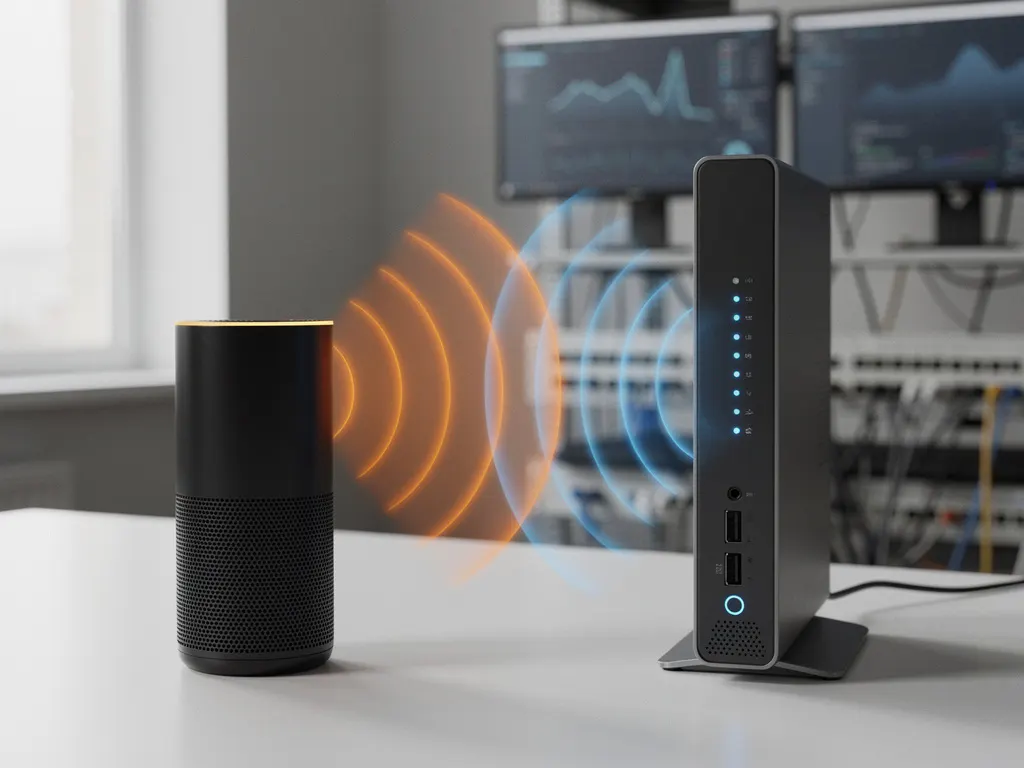
Wireless speakers have become essential in modern offices and homes, but many users notice their Wi-Fi connections slowing down or dropping when these devices are in use. This frustrating phenomenon occurs because both wireless speakers and Wi-Fi networks often operate on the same radio-frequency bands, creating potential conflicts that can disrupt your internet connectivity.
Understanding how wireless speakers interact with Wi-Fi networks is crucial for maintaining reliable internet performance, especially in business environments where consistent connectivity directly impacts productivity and operations.
Can Wireless Speakers Really Interfere With Wi-Fi Networks?
Yes, wireless speakers can interfere with Wi-Fi networks because many Bluetooth speakers and Wi-Fi both operate on the 2.4 GHz frequency band. When these devices transmit simultaneously in the same frequency range, they create electromagnetic interference that can slow down or disrupt Wi-Fi connections.
The interference occurs through a process called frequency overlap. The 2.4 GHz band, used by most Bluetooth devices and older Wi-Fi standards, contains limited spectrum space. When wireless speakers transmit audio data, they occupy portions of this frequency range that Wi-Fi routers also need for internet communication. This shared spectrum creates competition between devices, resulting in reduced Wi-Fi performance.
The severity of interference depends on several factors, including the proximity of devices, the power output of the wireless speakers, and the specific channels being used. Bluetooth devices use frequency-hopping spread-spectrum technology, rapidly switching between different frequencies within the 2.4 GHz band. While this technique helps minimize interference, it can still cause temporary disruptions to Wi-Fi signals operating on overlapping channels.
Why Do Bluetooth Speakers Cause Wi-Fi Connection Problems?
Bluetooth speakers cause Wi-Fi connection problems primarily due to channel overlap in the 2.4 GHz frequency band and the transmission power required for audio streaming. Both technologies compete for the same radio spectrum, creating electromagnetic interference that degrades network performance.
The technical explanation involves understanding how these wireless protocols operate. Wi-Fi networks using the 2.4 GHz band typically use channels 1, 6, and 11 to minimize interference between adjacent networks. However, Bluetooth devices hop across 79 different frequency channels within the same 2.4 GHz range, including frequencies that overlap with Wi-Fi channels. When a Bluetooth speaker transmits audio data, it can temporarily block or interfere with Wi-Fi signals on those same frequencies.
Audio streaming requires continuous data transmission, unlike other Bluetooth applications that send data intermittently. This constant communication creates sustained interference patterns that can significantly impact Wi-Fi performance. Additionally, the proximity of devices amplifies the problem. Bluetooth speakers placed near Wi-Fi routers or devices can overpower weaker Wi-Fi signals, causing connection drops or reduced speeds.
What Are the Signs Your Wi-Fi Is Being Disrupted by Wireless Speakers?
Common signs of Wi-Fi disruption from wireless speakers include sudden internet slowdowns when speakers are active, intermittent connection drops during audio playback, increased latency in online applications, and reduced Wi-Fi range in areas near the speakers.
Network performance indicators provide clear evidence of interference. Users often notice that web pages load slowly or streaming services buffer frequently when wireless speakers are playing audio. Video calls may experience poor quality or disconnections, and file downloads can become significantly slower or fail entirely. These symptoms typically correlate directly with speaker usage, improving when the audio devices are turned off.
Connection stability issues manifest as frequent disconnections from Wi-Fi networks, particularly on devices located near the wireless speakers. Users may find their laptops, smartphones, or tablets repeatedly asking for Wi-Fi passwords or showing “limited connectivity” warnings. In severe cases, entire Wi-Fi networks may become temporarily unavailable to all connected devices when high-powered wireless speakers are operating nearby.
Range reduction is another telltale sign, where Wi-Fi signals that normally reach certain areas of a building become weak or unavailable when wireless speakers are active. This occurs because the interference reduces the effective transmission power of Wi-Fi routers, shrinking their coverage area.
How Can You Stop Wireless Speakers From Interfering With Wi-Fi?
You can stop wireless speakers from interfering with Wi-Fi by switching your network to the 5 GHz band, increasing the physical distance between devices, using wired connections when possible, and selecting Wi-Fi channels that minimize overlap with Bluetooth frequencies.
The most effective solution involves upgrading to dual-band or tri-band Wi-Fi routers that support 5 GHz frequencies. The 5 GHz band operates separately from Bluetooth’s 2.4 GHz range, eliminating direct interference. Modern routers automatically balance device connections between bands, but you can manually connect critical devices to 5 GHz networks for guaranteed, interference-free performance.
Physical separation provides immediate improvement without requiring equipment changes. Position wireless speakers at least 10 feet away from Wi-Fi routers and primary internet-connected devices. This distance reduces signal overlap and allows both technologies to coexist more harmoniously. When possible, place speakers in different rooms from Wi-Fi equipment or use physical barriers like walls to minimize interference.
Channel optimization offers another practical approach. Access your router’s admin panel and manually select Wi-Fi channels 1 or 11, which have the least overlap with Bluetooth frequencies. Some routers include automatic channel selection features that monitor interference and switch to cleaner frequencies as needed.
For critical applications, consider using wired connections for devices that require consistent internet access. Ethernet cables eliminate wireless interference entirely, ensuring stable connections for important work computers or streaming devices regardless of wireless speaker activity.
Hoe IMPLI-CIT helpt bij Wi-Fi-interferentieproblemen
Wij bij IMPLI-CIT begrijpen dat Wi-Fi-interferentieproblemen de bedrijfsvoering ernstig kunnen verstoren. Onze ervaren technici bieden uitgebreide oplossingen om deze uitdagingen aan te pakken:
- Het uitvoeren van grondige netwerkanalyses om interferentiebronnen te identificeren
- Het implementeren van dual-band- en tri-band-Wi-Fi-oplossingen voor optimale prestaties
- Strategische plaatsing van netwerkapparatuur om interferentie te minimaliseren
- 24/7 monitoring en onderhoud van uw IT-infrastructuur
- Proactieve probleemoplossing voordat interferentie uw bedrijfsvoering beïnvloedt
Onze eigen medewerkers, geen onderaannemers, zorgen voor consistente servicekwaliteit en zijn beschikbaar voor spoedgevallen. Met onze jarenlange ervaring in IT-beheer kunnen wij uw netwerk optimaliseren voor betrouwbare prestaties, ongeacht welke draadloze apparaten u gebruikt. Neem contact met ons op om te ontdekken hoe wij uw Wi-Fi-interferentieproblemen kunnen oplossen en uw netwerkprestaties kunnen verbeteren.
[seoaic_faq][{“id”:0,”title”:”How can I test if my wireless speakers are actually causing Wi-Fi interference?”,”content”:”Run a speed test on your Wi-Fi network with the speakers off, then repeat the test while playing audio through your wireless speakers. Compare the results – a significant drop in speed or increased latency indicates interference. You can also monitor your network’s signal strength using Wi-Fi analyzer apps on your smartphone to see real-time interference patterns.”},{“id”:1,”title”:”Will using multiple Bluetooth speakers at the same time make Wi-Fi interference worse?”,”content”:”Yes, multiple Bluetooth speakers can amplify interference because each device adds more frequency-hopping activity in the 2.4 GHz band. However, modern Bluetooth devices use adaptive frequency hopping that attempts to avoid busy channels. The impact depends on the speakers’ proximity to each other and your Wi-Fi equipment.”},{“id”:2,”title”:”Can I use Wi-Fi speakers instead of Bluetooth speakers to avoid interference?”,”content”:”Wi-Fi speakers can actually create more interference than Bluetooth speakers because they consume more bandwidth and maintain constant connections to your network. However, if you use Wi-Fi speakers on the 5 GHz band while keeping other devices on 2.4 GHz, you can achieve better overall performance than mixing Bluetooth and Wi-Fi on the same frequency.”},{“id”:3,”title”:”What should I do if switching to 5 GHz doesn’t solve my interference problems?”,”content”:”If 5 GHz doesn’t help, check for other 2.4 GHz devices like microwaves, baby monitors, or wireless cameras that might be causing interference. Consider upgrading to Wi-Fi 6 routers with better interference management, or implement a mesh network system to provide stronger signals that can better compete with interference sources.”},{“id”:4,”title”:”Are there specific router settings I can adjust to minimize speaker interference?”,”content”:”Yes, enable band steering to automatically move devices to less congested frequencies, adjust your router’s transmission power to optimize coverage without creating unnecessary interference, and set Quality of Service (QoS) rules to prioritize critical internet traffic over audio streaming. Some routers also offer Bluetooth coexistence features specifically designed to reduce interference.”},{“id”:5,”title”:”How close is too close when positioning wireless speakers near my router?”,”content”:”Keep wireless speakers at least 10 feet away from your Wi-Fi router and other critical network equipment. If you must place them closer, position them at different heights or use physical barriers like furniture to reduce direct signal overlap. The exact distance depends on your speaker’s power output and your router’s signal strength.”},{“id”:6,”title”:”Do expensive wireless speakers cause less Wi-Fi interference than cheaper ones?”,”content”:”Not necessarily. Higher-end speakers may have better shielding and more sophisticated frequency management, but they often use more powerful transmitters that can actually cause more interference. The key factors are the Bluetooth version (newer versions like 5.0+ are more efficient), transmission power, and whether the speaker supports features like adaptive frequency hopping.”}][/seoaic_faq]