


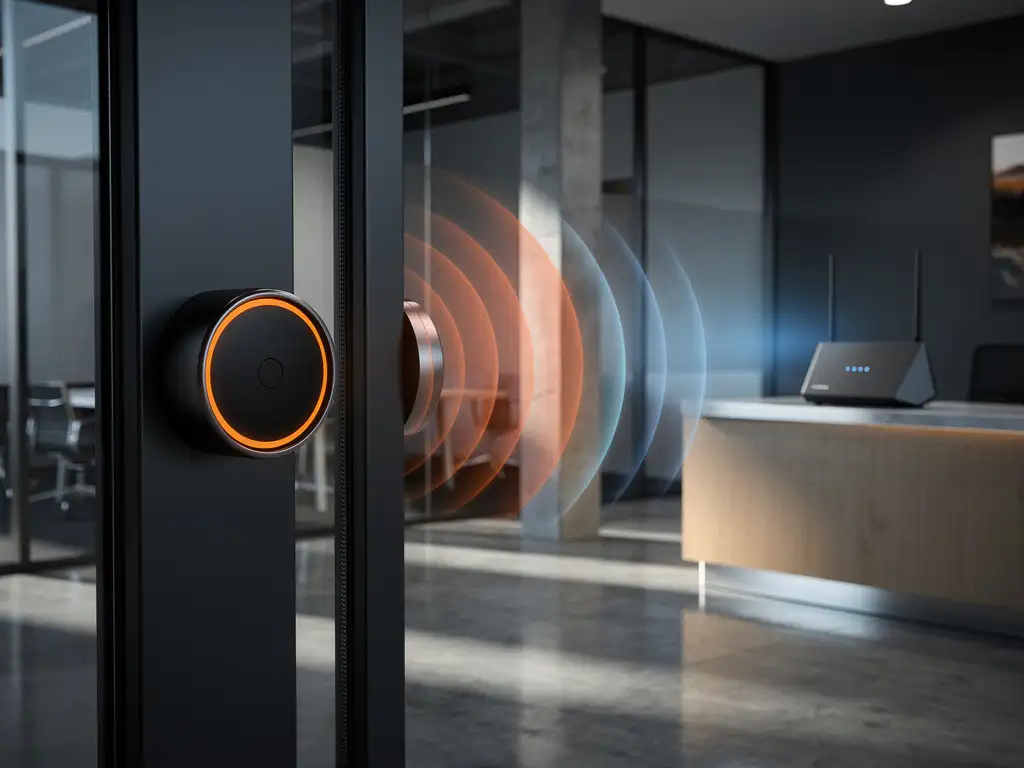
Modern building entrances increasingly rely on wireless doorbells for convenience and security, but many IT professionals and facility managers wonder whether these devices might be disrupting their carefully maintained Wi-Fi networks. With businesses depending more heavily on reliable internet connectivity, understanding potential sources of Wi-Fi interference has become crucial for maintaining operational efficiency.
The relationship between wireless doorbells and Wi-Fi networks is more complex than it might initially appear. While these devices can indeed cause connectivity issues, the severity and frequency of interference depend on several technical factors that are worth exploring in detail.
Do Wireless Doorbells Actually Interfere with Wi-Fi Networks?
Yes, wireless doorbells can interfere with Wi-Fi networks because many models operate on the same 2.4 GHz frequency band used by Wi-Fi routers. This frequency overlap can cause signal conflicts, resulting in slower internet speeds, connection drops, or reduced network range in areas near building entrances.
The interference typically occurs when both devices transmit simultaneously on overlapping channels. Most wireless doorbells use frequencies between 2.400 and 2.485 GHz, which directly overlap with Wi-Fi channels 1 through 11. When a doorbell transmits its signal to communicate with indoor chimes or smartphone apps, it can temporarily overwhelm nearby Wi-Fi signals, especially if the doorbell operates at higher power levels than your wireless router.
However, not all wireless doorbells cause significant problems. Higher-quality models often include better frequency management and may use different communication protocols that minimize interference. The impact also depends on your building’s layout, the distance between devices, and the overall wireless environment in your area.
What Causes Wireless Doorbells to Disrupt Wi-Fi Signals?
Wireless doorbell interference stems from frequency overlap, signal strength imbalances, and poor channel management between competing devices operating in the same radio spectrum. The primary culprit is the 2.4 GHz band, which has limited available channels and high usage density in most commercial environments.
Several technical factors contribute to this disruption. First, many wireless doorbells transmit at relatively high power levels to ensure reliable communication between the button and receiver, sometimes overpowering nearby Wi-Fi signals. Second, cheaper doorbell models often lack sophisticated frequency hopping or channel selection capabilities, causing them to broadcast on fixed frequencies that may conflict with your network’s optimal channels.
The problem becomes more pronounced in environments with multiple wireless devices. Office buildings, retail locations, and mixed-use facilities often have numerous 2.4 GHz devices competing for spectrum space, including wireless doorbells, security cameras, Bluetooth devices, and microwave ovens. This creates a congested wireless environment where even small sources of interference can significantly impact network performance.
How Can You Tell if Your Doorbell Is Causing Wi-Fi Problems?
You can identify doorbell-related Wi-Fi interference by monitoring network performance near building entrances, checking for connection issues that coincide with doorbell use, and using Wi-Fi analyzer tools to detect signal conflicts on the 2.4 GHz band during doorbell activation.
Start by observing patterns in your connectivity issues. If Wi-Fi problems consistently occur near entrance areas, particularly when visitors arrive or delivery personnel ring the doorbell, this suggests a correlation worth investigating. Users may report slower internet speeds, difficulty connecting to the network, or frequent disconnections in lobby areas or near main entrances.
Technical diagnostics can provide more definitive answers. Wi-Fi analyzer applications can show you which channels are experiencing interference and when signal conflicts occur. Run these tools during both quiet periods and when the doorbell is actively being used. You should also check your router’s administrative interface for error logs or connection statistics that might indicate interference patterns.
Physical testing offers another verification method. Temporarily disconnect or relocate the wireless doorbell system and monitor whether Wi-Fi performance improves in the affected areas. If connectivity stabilizes after removing the doorbell from the equation, you’ve likely identified the source of your interference issues.
What Are the Best Solutions for Doorbell Wi-Fi Interference?
The most effective solutions include switching to 5 GHz Wi-Fi networks, relocating wireless equipment to minimize signal overlap, upgrading to higher-quality doorbell systems with better frequency management, or implementing professional channel optimization to reduce interference conflicts.
Network-side solutions often provide the quickest relief. Moving your primary Wi-Fi operations to the 5 GHz band eliminates direct frequency conflicts since most wireless doorbells operate exclusively on 2.4 GHz. Modern dual-band routers can maintain both networks simultaneously, allowing you to migrate critical devices to the cleaner 5 GHz spectrum while keeping legacy devices on 2.4 GHz.
Hardware upgrades represent a more comprehensive approach. Professional-grade wireless doorbells often include features like frequency hopping, automatic channel selection, and lower transmission power settings that reduce interference potential. Some newer models operate on different frequency bands entirely, such as 900 MHz or proprietary protocols that avoid the Wi-Fi spectrum altogether.
Strategic placement and configuration adjustments can also help. Relocating Wi-Fi access points away from entrance areas, adjusting transmission power levels, and manually selecting less congested channels can minimize conflicts. For complex environments, professional wireless site surveys can identify optimal configurations that accommodate both doorbell systems and robust Wi-Fi coverage.
Hoe IMPLI-CIT helpt met Wi-Fi-interferentieproblemen
We bieden uitgebreide IT Infrastructure Assessment & Planning-services om Wi-Fi-interferentieproblemen systematisch aan te pakken en uw netwerkprestaties te optimaliseren. Onze ervaren technici kunnen ter plaatse komen om uw draadloze omgeving te analyseren, interferentiebronnen te identificeren en praktische oplossingen te implementeren.
Onze aanpak omvat:
- Professionele site surveys om interferentiepatronen in kaart te brengen
- Optimalisatie van kanaalconfiguraties en apparaatplaatsing
- Hardware-upgrades en verbeteringen aan de netwerkarchitectuur
- 24/7 monitoring en ondersteuning voor kritieke IT-infrastructuur
- Preventieve onderhoudsplannen om toekomstige problemen te voorkomen
Met meer dan 20 jaar ervaring in IT-dienstverlening begrijpen we hoe belangrijk betrouwbare netwerkconnectiviteit is voor uw bedrijfsvoering. Neem contact met ons op om te bespreken hoe we uw Wi-Fi-infrastructuur kunnen optimaliseren en interferentieproblemen definitief kunnen oplossen.
[seoaic_faq][{“id”:0,”title”:”How do I choose a wireless doorbell that won’t interfere with my Wi-Fi network?”,”content”:”Look for doorbells that operate on frequencies outside the 2.4 GHz band, such as 900 MHz models, or those with advanced features like frequency hopping and automatic channel selection. Professional-grade doorbells from reputable brands typically include better interference mitigation technologies and adjustable power settings.”},{“id”:1,”title”:”Can I use both a wireless doorbell and maintain strong Wi-Fi performance simultaneously?”,”content”:”Yes, by implementing proper network segmentation and frequency management. The most effective approach is migrating your primary devices to a 5 GHz Wi-Fi network while keeping the doorbell on 2.4 GHz, ensuring they operate on separate frequency bands without direct interference.”},{“id”:2,”title”:”What should I do if my building has multiple wireless doorbells causing network issues?”,”content”:”Consider coordinating doorbell channels to minimize overlap, upgrading to a centralized doorbell system with better frequency management, or implementing a professional wireless site survey to optimize both doorbell and Wi-Fi placement throughout the building.”},{“id”:3,”title”:”How far away should my Wi-Fi router be from a wireless doorbell to prevent interference?”,”content”:”Maintain at least 10-15 feet of separation between Wi-Fi access points and wireless doorbells when possible. However, distance alone may not solve interference issues in dense wireless environments, so combining physical separation with proper channel configuration and frequency band selection is more effective.”},{“id”:4,”title”:”Are there any quick troubleshooting steps I can try before calling in IT professionals?”,”content”:”Start by changing your Wi-Fi router to channels 1, 6, or 11 (which have less overlap), temporarily switching devices to 5 GHz if available, and checking if interference occurs only during doorbell use. You can also try adjusting your router’s transmission power settings or relocating it further from entrance areas.”},{“id”:5,”title”:”Will upgrading to Wi-Fi 6 eliminate doorbell interference problems?”,”content”:”Wi-Fi 6 can help reduce interference through better channel management and improved efficiency, but it won’t completely eliminate conflicts if both devices still operate on the 2.4 GHz band. The most significant benefit comes from Wi-Fi 6’s enhanced 5 GHz performance, allowing you to move more devices away from the congested 2.4 GHz spectrum.”}][/seoaic_faq]