


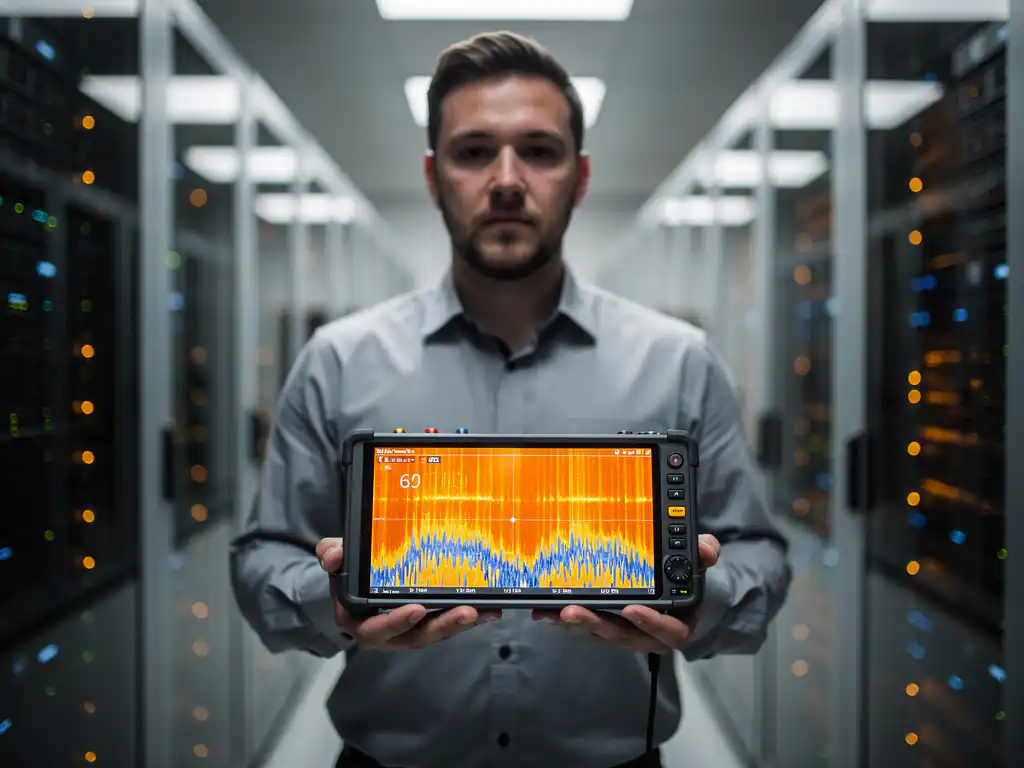
Enterprise networks face constant challenges from Wi-Fi interference, which can disrupt operations, slow data transfers, and reduce productivity across multiple locations. Whether you’re managing a retail chain, a manufacturing facility, or data center operations, identifying and resolving Wi-Fi interference requires specialized diagnostic tools that can pinpoint the exact source of connectivity issues.
Professional network assessments rely on a combination of software applications, hardware analyzers, and portable diagnostic equipment to detect interference patterns, analyze signal strength, and identify problematic frequencies. Understanding which tools work best in different scenarios helps IT teams maintain reliable wireless connectivity across their infrastructure.
What causes Wi-Fi interference in enterprise networks?
Wi-Fi interference in enterprise networks occurs when other electronic devices, physical obstacles, or competing wireless signals disrupt the radio frequencies used by Wi-Fi equipment. Common sources include microwave ovens, Bluetooth devices, other Wi-Fi networks, fluorescent lighting, and metal structures that block or reflect wireless signals.
The most frequent sources of interference in business environments are overlapping Wi-Fi channels from neighboring networks, especially in dense office buildings or retail locations. When multiple networks operate on the same or adjacent channels, they compete for bandwidth and create signal conflicts. Physical barriers such as concrete walls, metal filing cabinets, and elevator shafts can also degrade signals by absorbing or reflecting radio waves.
Industrial equipment presents unique challenges, particularly in manufacturing environments where motors, welding equipment, and heavy machinery generate electromagnetic interference. Even newer technologies such as wireless security cameras, IoT sensors, and smart building systems can contribute to network congestion when not properly configured or positioned.
What’s the difference between Wi-Fi analyzers and spectrum analyzers?
Wi-Fi analyzers focus specifically on wireless network data and show information about Wi-Fi networks, signal strength, channel usage, and network performance metrics. Spectrum analyzers examine the entire radio-frequency spectrum and can detect any device or signal operating within specific frequency ranges, including non-Wi-Fi interference sources.
Wi-Fi analyzers excel at identifying network-specific issues such as channel overlap, weak-signal areas, and authentication problems. They display network names, security settings, connection speeds, and client device information. These tools help optimize Wi-Fi network configurations by showing which channels are crowded and recommending better alternatives.
Spectrum analyzers provide broader visibility into all radio-frequency activity, making them essential for detecting interference from non-Wi-Fi devices. They can identify microwave ovens, Bluetooth devices, cordless phones, and industrial equipment that might not appear in Wi-Fi-specific scans. This comprehensive view makes spectrum analyzers more effective for troubleshooting complex interference scenarios where the source isn’t immediately obvious.
Which software tools can detect Wi-Fi interference remotely?
Software-based Wi-Fi interference detection tools include WiFi Explorer, inSSIDer, Acrylic WiFi, and NetSpot, which can remotely scan wireless networks and identify interference patterns through signal-strength analysis and channel-utilization monitoring. These applications run on laptops or mobile devices and provide real-time visibility into network performance.
Cloud-based network monitoring platforms such as Ekahau Cloud and WiFi Analyzer Pro offer centralized interference detection across multiple locations. These solutions collect data from deployed sensors or access points and analyze patterns to identify interference trends over time. Remote monitoring capabilities allow IT teams to detect issues before they significantly impact users.
Enterprise network management systems often include built-in interference-detection features. Cisco Prime, Aruba AirWave, and Ubiquiti UniFi controllers can monitor their managed access points for interference indicators and generate alerts when signal quality degrades. These integrated tools provide ongoing monitoring without requiring additional hardware investments.
How do professional spectrum analyzers identify interference sources?
Professional spectrum analyzers identify interference sources by displaying real-time radio-frequency activity across specific bands, showing signal amplitude, frequency patterns, and timing characteristics that help technicians distinguish between different types of interference. They visualize the RF environment using waterfall displays, spectrograms, and signal-strength graphs.
Advanced spectrum analyzers such as the Fluke AirMagnet Spectrum XT and Keysight FieldFox can automatically classify interference sources based on their signal signatures. Microwave ovens create distinctive patterns with regular pulses, while Bluetooth devices show frequency-hopping patterns. These automated identification features save time during network assessments by immediately highlighting problematic devices.
Professional analyzers also offer directional-antenna capabilities, allowing technicians to physically locate interference sources by measuring signal strength from different directions. This triangulation approach helps identify the exact location of problematic devices, whether they’re hidden behind walls or located in adjacent buildings.
What portable tools do field technicians use for Wi-Fi assessments?
Field technicians commonly use handheld Wi-Fi analyzers such as the Fluke AirCheck G2, NetAlly EtherScope nXG, and JDSU OptiFiber Pro for on-site Wi-Fi assessments. These portable devices combine spectrum analysis, network testing, and cable-verification capabilities in ruggedized packages designed for fieldwork.
Smartphone and tablet applications provide convenient assessment tools for quick diagnostics. WiFi Analyzer for Android, AirPort Utility for iOS, and Ubiquiti WiFiman offer basic interference detection and signal-strength mapping. While less comprehensive than dedicated hardware, these mobile tools help technicians perform initial assessments and document network conditions.
Laptop-based solutions remain popular for comprehensive site surveys. Software such as Ekahau Site Survey, TamoGraph Site Survey, and iBwave Wi-Fi Mobile can be paired with USB Wi-Fi adapters to create powerful portable assessment platforms. These solutions offer detailed heatmaps, interference analysis, and reporting capabilities essential for professional network assessments.
How IMPLI-CIT helps with Wi-Fi interference assessments
We provide comprehensive Wi-Fi interference detection and resolution services through our experienced field technicians, who travel globally to assess and optimize wireless networks. Our team uses professional-grade spectrum analyzers and assessment tools to identify interference sources and implement effective solutions across diverse business environments.
Our Wi-Fi interference assessment services include:
- Comprehensive site surveys using advanced spectrum analysis equipment
- Real-time interference source identification and documentation
- Network optimization recommendations and implementation support
- 24/7 emergency response for critical connectivity issues
- Ongoing monitoring and preventive maintenance programs
With certified technicians available across Europe, Asia, Africa, and the Americas, we ensure consistent service quality and rapid response times for businesses operating in multiple locations. Our direct-employment model guarantees accountability and expertise that subcontractors cannot match. Contact us to schedule a comprehensive Wi-Fi assessment and eliminate interference issues affecting your network performance.
[seoaic_faq][{“id”:0,”title”:”How long does a typical Wi-Fi interference assessment take to complete?”,”content”:”A comprehensive Wi-Fi interference assessment typically takes 4-8 hours for a single location, depending on the facility size and complexity. Large multi-floor buildings or manufacturing facilities with heavy machinery may require 1-2 days for thorough analysis. Emergency assessments for critical connectivity issues can often identify major interference sources within 1-2 hours.”},{“id”:1,”title”:”What should I do while waiting for professional technicians to arrive for an interference assessment?”,”content”:”Document any patterns you notice about when interference occurs (time of day, specific activities, equipment usage), avoid moving or powering down suspected interference sources, and gather information about recent changes to the environment such as new equipment installations or construction. Keep a log of affected areas and user complaints to help technicians prioritize their assessment.”},{“id”:2,”title”:”Can Wi-Fi interference issues be resolved without replacing existing network equipment?”,”content”:”Yes, many interference issues can be resolved through configuration changes, channel optimization, access point repositioning, or antenna adjustments without equipment replacement. However, severe interference from industrial equipment or outdated hardware may require additional access points, upgraded antennas, or shielding solutions to achieve optimal performance.”},{“id”:3,”title”:”How do I know if interference is coming from inside my building or external sources?”,”content”:”Professional spectrum analyzers can distinguish between internal and external interference sources through signal strength patterns and directional analysis. Internal sources typically show consistent signal levels throughout the building, while external interference often varies significantly based on proximity to windows or exterior walls. Technicians use triangulation techniques to pinpoint exact source locations.”},{“id”:4,”title”:”What’s the difference between temporary interference and chronic network problems?”,”content”:”Temporary interference occurs sporadically due to specific activities (microwave usage, equipment startups) and resolves when the source stops operating. Chronic problems persist continuously due to permanent interference sources like overlapping Wi-Fi channels, poorly positioned equipment, or constant electromagnetic interference from industrial machinery. Identifying this distinction helps determine appropriate remediation strategies.”},{“id”:5,”title”:”How often should enterprise networks undergo interference assessments?”,”content”:”Most enterprises benefit from annual interference assessments, with quarterly assessments recommended for high-density environments or facilities with frequent equipment changes. Manufacturing facilities and data centers may require more frequent monitoring due to equipment additions and electromagnetic environment changes. Immediate assessments should be conducted after major infrastructure changes or when performance issues arise.”},{“id”:6,”title”:”What information should I prepare before scheduling a Wi-Fi interference assessment?”,”content”:”Prepare a facility layout with current access point locations, a list of all wireless devices and IoT equipment, documentation of recent connectivity issues including affected areas and timeframes, and access credentials for network equipment. Also compile information about any industrial equipment, recent construction, or environmental changes that might impact wireless performance.”}][/seoaic_faq]