


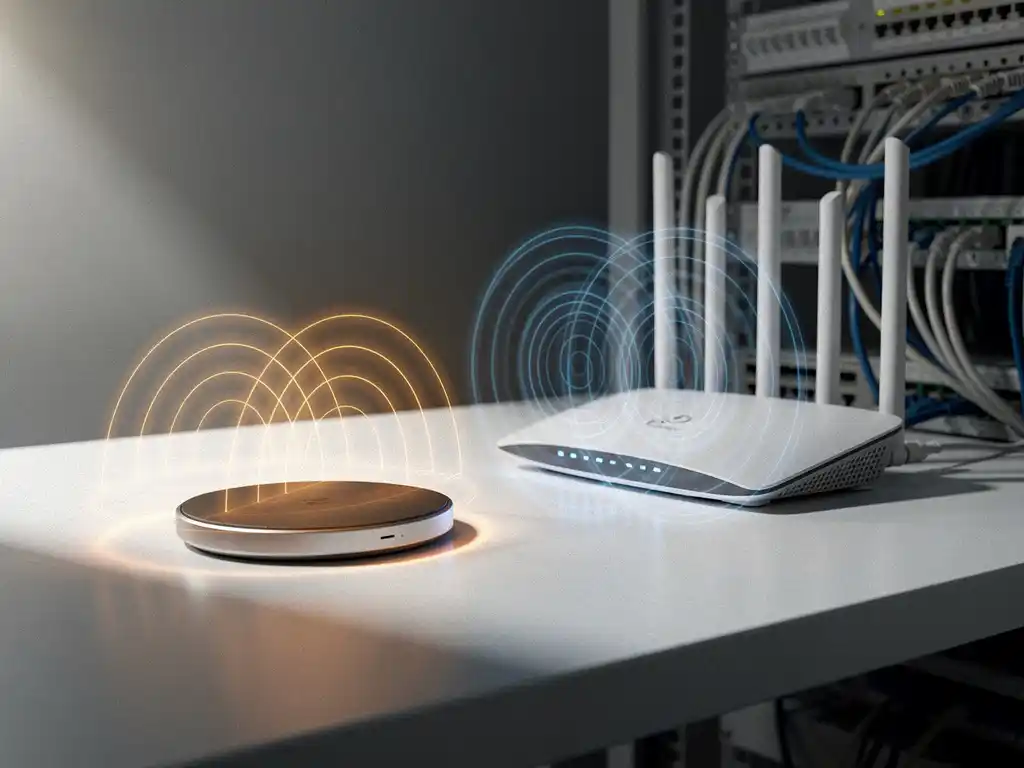
If you’ve ever noticed your Wi-Fi slowing down after setting up a new wireless charging pad, you’re not imagining things. Wireless charging technology and Wi-Fi networks both operate using electromagnetic frequencies, which can sometimes create interference issues in your home or office environment.
Understanding the relationship between wireless charging pads and Wi-Fi interference is crucial for maintaining optimal network performance, especially in business environments where reliable connectivity is essential for operations.
Do Wireless Charging Pads Actually Cause Wi-Fi Interference?
Yes, wireless charging pads can cause Wi-Fi interference, particularly when they operate on frequencies that overlap with your wireless network. Most wireless chargers use the 2.4 GHz frequency band for power transmission, which is the same frequency range used by many Wi-Fi networks, Bluetooth devices, and other wireless technologies.
The interference occurs because both technologies emit electromagnetic signals in similar frequency ranges. When a wireless charging pad is actively charging a device, it generates electromagnetic fields that can disrupt nearby Wi-Fi signals. This disruption is most noticeable when the charging pad and Wi-Fi router are positioned close to each other, typically within a few feet.
The severity of the interference depends on several factors, including the quality of the wireless charger, its power output, and the specific frequencies being used. Cheaper or poorly shielded charging pads tend to create more electromagnetic noise, leading to more significant Wi-Fi disruption.
What Causes Electromagnetic Interference From Wireless Chargers?
Electromagnetic interference from wireless chargers stems from the inductive charging process, in which alternating magnetic fields transfer energy between the charging pad and the device. These magnetic fields generate electromagnetic radiation that can overlap with Wi-Fi frequency bands, creating signal conflicts.
The primary cause is frequency overlap in the 2.4 GHz band. Wireless chargers operating at frequencies between 100 and 300 kHz can produce harmonics that extend into the 2.4 GHz range used by Wi-Fi networks. When these harmonics align with your Wi-Fi channel, they create noise that degrades signal quality and reduces connection speeds.
Poor electromagnetic shielding in budget wireless chargers amplifies this problem. Quality charging pads include proper shielding and filtering to minimize electromagnetic emissions, while cheaper alternatives may lack these protective measures. Additionally, the switching frequency of the power electronics within the charger can generate broadband noise that affects multiple frequency ranges simultaneously.
How Can You Tell if Your Wireless Charger Is Affecting Your Wi-Fi?
You can identify wireless charger interference by monitoring your Wi-Fi performance before, during, and after charging sessions. The most obvious signs include slower internet speeds, more frequent connection drops, or difficulty connecting devices when the wireless charger is active.
To test for interference, perform a simple experiment by running speed tests on your Wi-Fi network with the wireless charger unplugged, then repeat the test while actively charging a device. Compare the results to identify any significant performance differences. You should also check whether the interference affects specific devices more than others, as some may be more sensitive to electromagnetic noise.
Network monitoring tools can provide more detailed insights. Many router administration panels show signal strength and interference levels for different channels. If you notice increased noise levels or signal degradation on your current Wi-Fi channel when the charger is active, this confirms that interference is occurring.
What’s the Best Distance Between Wireless Chargers and Wi-Fi Equipment?
The optimal distance between wireless chargers and Wi-Fi equipment is at least 3 to 6 feet, though this can vary based on the power output of your charging pad and the sensitivity of your networking equipment. Electromagnetic interference follows an inverse-square law, meaning signal strength decreases rapidly with distance.
For most home and office environments, maintaining a 3-foot separation provides adequate protection against interference. However, high-power wireless chargers or particularly sensitive Wi-Fi equipment may require greater distances. In professional environments where network reliability is critical, consider placing charging stations at least 6 feet away from access points, routers, and other networking hardware.
Vertical separation can be just as effective as horizontal distance. Placing your Wi-Fi router on a shelf above or below the level of your wireless charging pad can help minimize interference while maintaining convenient access to both devices.
How Do You Fix Wi-Fi Problems Caused by Wireless Charging Pads?
The most effective solution for Wi-Fi problems caused by wireless charging pads is switching your network to the 5 GHz frequency band, which operates outside the range of most charging pad interference. Modern dual-band routers support both 2.4 GHz and 5 GHz networks, allowing you to avoid the problematic frequency range entirely.
If switching bands isn’t possible, try changing your Wi-Fi channel within the 2.4 GHz band. Channels 1, 6, and 11 are typically the best options because they don’t overlap with each other. Use your router’s administration panel or a Wi-Fi analyzer app to identify the least congested channel in your area.
Physical solutions include relocating either the charging pad or the Wi-Fi equipment to increase the distance between them. You can also upgrade to a higher-quality wireless charger with better electromagnetic shielding, or add physical barriers, such as metal filing cabinets, between the devices to block interference.
How IMPLI-CIT Helps with Wi-Fi Interference Problems
We understand that Wi-Fi interference issues can significantly impact business operations, especially when they affect critical systems and productivity. Our IT Infrastructure Assessment & Planning services help identify and resolve electromagnetic interference problems in professional environments.
Our approach includes:
- Comprehensive site surveys to identify interference sources and affected areas
- Network optimization recommendations, including frequency planning and equipment placement
- Hardware assessment to ensure your wireless charging solutions are compatible with existing IT infrastructure
- Implementation of shielding solutions and network configuration changes
Don’t let Wi-Fi interference disrupt your business operations. Contact our team today to schedule a comprehensive IT infrastructure assessment and ensure your wireless technologies work harmoniously together.
[seoaic_faq][{“id”:0,”title”:”Can I use multiple wireless charging pads in the same room without creating more Wi-Fi interference?”,”content”:”Yes, but you should space them strategically and consider their combined electromagnetic output. Multiple charging pads can amplify interference effects, especially if they’re all operating simultaneously. Position them at least 3 feet apart from each other and maintain the recommended distance from Wi-Fi equipment. Consider staggering charging times or using a mix of wired and wireless charging to minimize simultaneous electromagnetic emissions.”},{“id”:1,”title”:”Will upgrading to Wi-Fi 6 or newer standards help reduce interference from wireless chargers?”,”content”:”Wi-Fi 6 and newer standards include better interference mitigation technologies, but they won’t completely eliminate issues if you’re still using the 2.4 GHz band. These newer standards offer improved signal processing and can better handle interference, but the most effective solution remains switching to 5 GHz or 6 GHz bands. Wi-Fi 6E, which includes 6 GHz support, provides the most interference-free experience.”},{“id”:2,”title”:”Are there specific wireless charger brands or certifications I should look for to minimize Wi-Fi interference?”,”content”:”Look for wireless chargers with Qi certification and FCC compliance markings, which ensure they meet electromagnetic emission standards. Brands that specifically mention EMI (electromagnetic interference) shielding or filtering in their specifications typically cause fewer problems. Avoid extremely cheap, uncertified chargers from unknown manufacturers, as these often lack proper shielding and can create significant interference.”},{“id”:3,”title”:”How do I know if my wireless charger interference is affecting my smart home devices?”,”content”:”Monitor your smart home devices for connectivity issues, delayed responses, or frequent disconnections when the wireless charger is active. Many smart home devices use 2.4 GHz networks and can be more sensitive to interference than computers or phones. Check your smart home app for device status indicators and test device responsiveness with the charger on and off to identify affected devices.”},{“id”:4,”title”:”Can I use aluminum foil or other household materials to block interference between my charger and router?”,”content”:”While aluminum foil can technically block electromagnetic signals, it’s not a practical long-term solution and may create unpredictable reflection patterns. Instead, use proper metal enclosures, relocate devices, or place dense materials like filing cabinets between the charger and router. The most reliable approach is maintaining proper distance and using quality, well-shielded equipment rather than improvised shielding solutions.”},{“id”:5,”title”:”What should I do if switching to 5 GHz Wi-Fi isn’t an option due to range limitations?”,”content”:”Focus on optimizing your 2.4 GHz setup by selecting the least congested channel (1, 6, or 11), upgrading to a higher-quality wireless charger with better shielding, and maximizing physical distance between devices. Consider adding a Wi-Fi extender or mesh node closer to areas where you need 5 GHz coverage, allowing you to use the interference-free band where it matters most while maintaining 2.4 GHz for longer-range connectivity.”},{“id”:6,”title”:”How can I test if my business’s wireless charging stations are causing productivity issues due to Wi-Fi problems?”,”content”:”Conduct systematic testing by measuring Wi-Fi performance in work areas before installing charging stations, then monitor for complaints about slow internet or connectivity issues after installation. Use network monitoring tools to track connection quality and speed in areas near charging stations during peak usage times. Survey employees about connectivity issues and correlate these reports with charging station locations and usage patterns.”}][/seoaic_faq]