


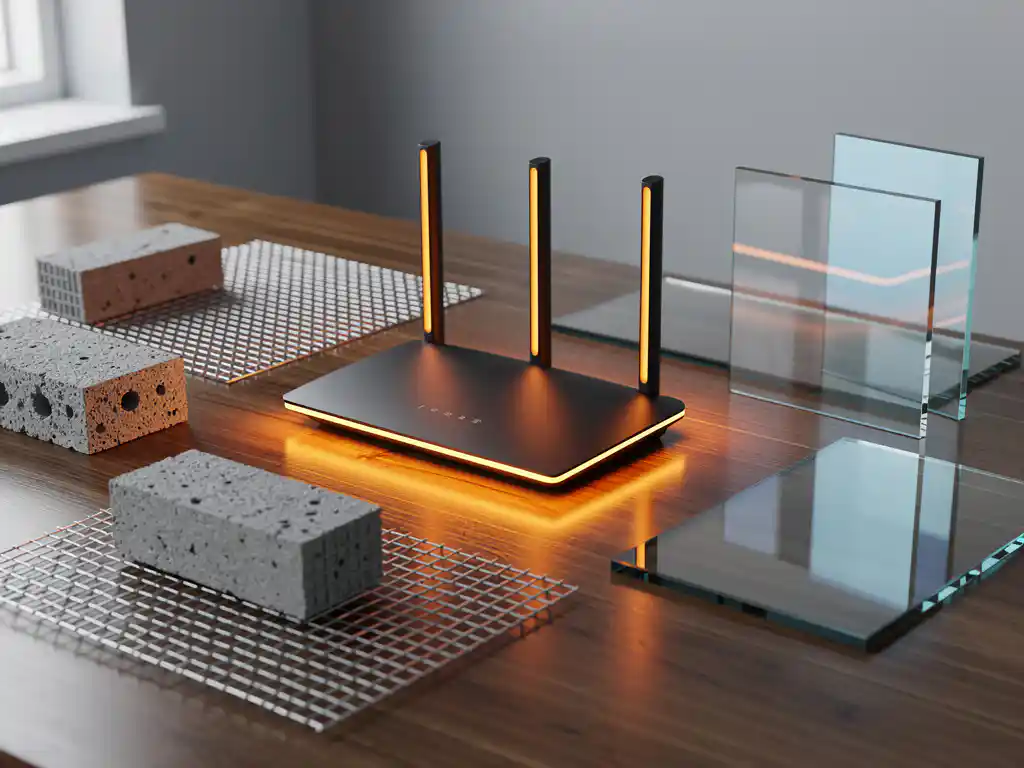
WiFi interference from building materials is one of the most common causes of poor wireless connectivity in modern offices and facilities. Understanding how different construction materials affect wireless signals can help you optimize network performance and avoid costly connectivity issues that impact business operations.
The types of materials used in your building’s construction directly determine how well WiFi signals can penetrate walls, floors, and ceilings. Some materials act as virtual barriers to wireless transmission, while others allow signals to pass through with minimal degradation.
What Building Materials Block WiFi Signals the Most?
Metal, concrete with rebar, and water-filled structures create the strongest WiFi interference and signal blocking. These dense materials reflect or absorb radio waves at the 2.4 GHz and 5 GHz frequencies used by modern wireless networks, creating dead zones and connection drops.
The most problematic materials for WiFi signals include steel beams, aluminum siding, metal roofing, reinforced concrete walls, and brick with metal mesh reinforcement. Water pipes, HVAC ducts, and electrical conduits also contribute significantly to signal degradation. Even seemingly minor metal elements, such as foil-backed insulation or metallic paint, can create unexpected interference patterns throughout a building.
Glass presents a moderate barrier depending on its composition. Low-E glass windows with metallic coatings can block WiFi signals almost as effectively as solid metal, while standard glass allows most signals to pass through with only slight attenuation.
How Does Concrete Affect WiFi Signal Strength?
Concrete reduces WiFi signal strength by 10–15 dB on average, which translates to roughly 65–70% signal loss through a typical 8-inch concrete wall. The exact impact depends on the concrete’s density, thickness, and whether it contains metal reinforcement bars.
Plain concrete blocks WiFi signals primarily due to its density and moisture content. The cement particles scatter radio waves, while any trapped moisture absorbs energy from the wireless transmission. However, reinforced concrete with steel rebar creates much more severe interference because the metal grid acts like a Faraday cage, reflecting signals back toward their source.
Concrete floors present particular challenges for multi-story buildings. WiFi signals attempting to travel vertically through concrete floor slabs experience significant attenuation, often requiring dedicated access points on each floor rather than relying on signal propagation between levels.
Why Do Metal Materials Cause WiFi Interference?
Metal materials cause WiFi interference because they reflect radio waves rather than allowing them to pass through. The metal’s conductive properties create electromagnetic barriers that bounce WiFi signals away from their intended path, causing signal reflection, multipath interference, and dead zones.
Different metals affect WiFi signals in various ways. Steel structural elements create hard barriers that completely block transmission in certain directions. Aluminum materials, including siding and ductwork, can create complex reflection patterns that cause signals to arrive at devices via multiple paths, leading to interference and reduced data speeds.
Even thin metal layers can significantly impact WiFi performance. Foil-backed insulation, metallic wallpaper, and metal mesh in plaster walls all contribute to signal degradation. The key factor is not necessarily the thickness of the metal, but rather its ability to conduct electricity and reflect electromagnetic waves.
Which Common Wall Materials Allow WiFi to Pass Through?
Drywall, wood, standard glass, and plastic materials allow WiFi signals to pass through with minimal interference, typically reducing signal strength by only 3–5 dB. These materials are considered RF-transparent and rarely cause significant connectivity issues for wireless networks.
Drywall and plasterboard walls present virtually no barrier to WiFi signals, making them ideal for wireless network deployment. Wood framing and wooden doors also allow excellent signal penetration, though very dense hardwoods may cause slight attenuation. Standard window glass permits WiFi signals to pass through easily, making it possible to extend network coverage to outdoor areas.
Plastic materials, including vinyl siding, PVC pipes, and synthetic insulation, have minimal impact on WiFi performance. Fabric materials like curtains, carpeting, and upholstery also allow signals to pass through without significant degradation, though they may absorb small amounts of energy.
How Can You Improve WiFi in Buildings with Signal-Blocking Materials?
Strategic access point placement, mesh networking systems, and professional site surveys can overcome WiFi interference from building materials. The key is positioning wireless equipment to work with your building’s construction rather than fighting against material-based signal blocking.
Access point placement becomes critical in buildings with challenging materials. Position wireless equipment in central locations with clear line of sight to coverage areas, avoiding placement near metal structures or behind concrete walls. For multi-story buildings with concrete floors, install dedicated access points on each level rather than relying on vertical signal propagation.
Mesh networking systems can provide better coverage in challenging environments by using multiple interconnected access points to route signals around obstacles. These systems automatically find the best path for data transmission, adapting to building materials and environmental changes.
Professional wireless site surveys help identify specific interference sources and optimal equipment placement. These assessments can reveal hidden metal structures, unexpected dead zones, and opportunities for improved coverage through strategic access point positioning.
How IMPLI-CIT Helps with WiFi Interference Problems
We understand that WiFi interference from building materials can severely impact your business operations and productivity. Our experienced field engineers provide comprehensive wireless network assessments and on-site troubleshooting to resolve connectivity issues caused by challenging building materials.
Our services include:
- Professional wireless site surveys to identify interference sources and coverage gaps
- Strategic access point placement recommendations based on building construction
- Network optimization to work effectively with existing architectural elements
- 24/7 on-site support for critical connectivity issues across Europe and globally
- Hardware deployment and configuration services for mesh networks and enterprise WiFi systems
Don’t let building materials compromise your wireless network performance. Contact our team today to schedule a comprehensive WiFi assessment and discover how we can optimize your wireless infrastructure for reliable connectivity throughout your facility.
[seoaic_faq][{“id”:0,”title”:”How can I identify which building materials are causing WiFi dead zones in my office?”,”content”:”Conduct a simple walk-through test with a WiFi analyzer app on your smartphone, noting signal strength drops near specific walls, floors, or structural elements. Look for patterns where signals weaken near metal fixtures, concrete walls, or areas with HVAC equipment. For accurate identification, consider hiring a professional to perform a comprehensive site survey that maps interference sources and signal propagation patterns.”},{“id”:1,”title”:”Is it worth upgrading to WiFi 6 or 6E to overcome building material interference?”,”content”:”WiFi 6 and 6E can help with interference through better signal processing and additional frequency bands, but they won’t eliminate physical barriers created by metal or concrete. The 6 GHz band in WiFi 6E may actually penetrate materials less effectively than lower frequencies. Focus first on proper access point placement and quantity before upgrading hardware.”},{“id”:2,”title”:”What’s the minimum number of access points needed for a building with significant concrete walls?”,”content”:”Plan for one access point per 1,500-2,500 square feet in buildings with concrete walls, compared to 3,000-5,000 square feet in standard drywall construction. Each concrete wall between an access point and coverage area may require an additional access point. Always conduct a site survey to determine exact requirements based on your specific building layout and materials.”},{“id”:3,”title”:”Can WiFi extenders or repeaters solve problems caused by metal building materials?”,”content”:”WiFi extenders can help but often create new problems like reduced bandwidth and increased latency. They’re a temporary solution at best for metal interference issues. Mesh systems or additional hardwired access points provide much better performance and reliability when dealing with challenging building materials.”},{“id”:4,”title”:”How do I determine if my building’s HVAC system is interfering with WiFi signals?”,”content”:”Monitor WiFi performance when HVAC systems cycle on and off, and check for signal drops near large metal ductwork or equipment rooms. Metal ducts act as signal barriers and can create interference patterns. Use a WiFi analyzer to measure signal strength before and after HVAC operation, and consider relocating access points away from major ductwork runs.”},{“id”:5,”title”:”What’s the best frequency band (2.4 GHz vs 5 GHz) for buildings with thick walls?”,”content”:”2.4 GHz penetrates building materials better than 5 GHz due to its longer wavelength, but it’s more congested and slower. Use 2.4 GHz for coverage through challenging materials and 5 GHz for high-speed connections in open areas. Modern dual-band systems automatically select the best frequency based on conditions and device capabilities.”},{“id”:6,”title”:”How often should I reassess my WiFi network after building renovations or additions?”,”content”:”Reassess your WiFi network immediately after any structural changes, new metal installations, or significant renovations. Even minor changes like new metal shelving, additional concrete walls, or HVAC modifications can create new dead zones. Schedule annual assessments for buildings with dynamic environments or frequent layout changes.”}][/seoaic_faq]