


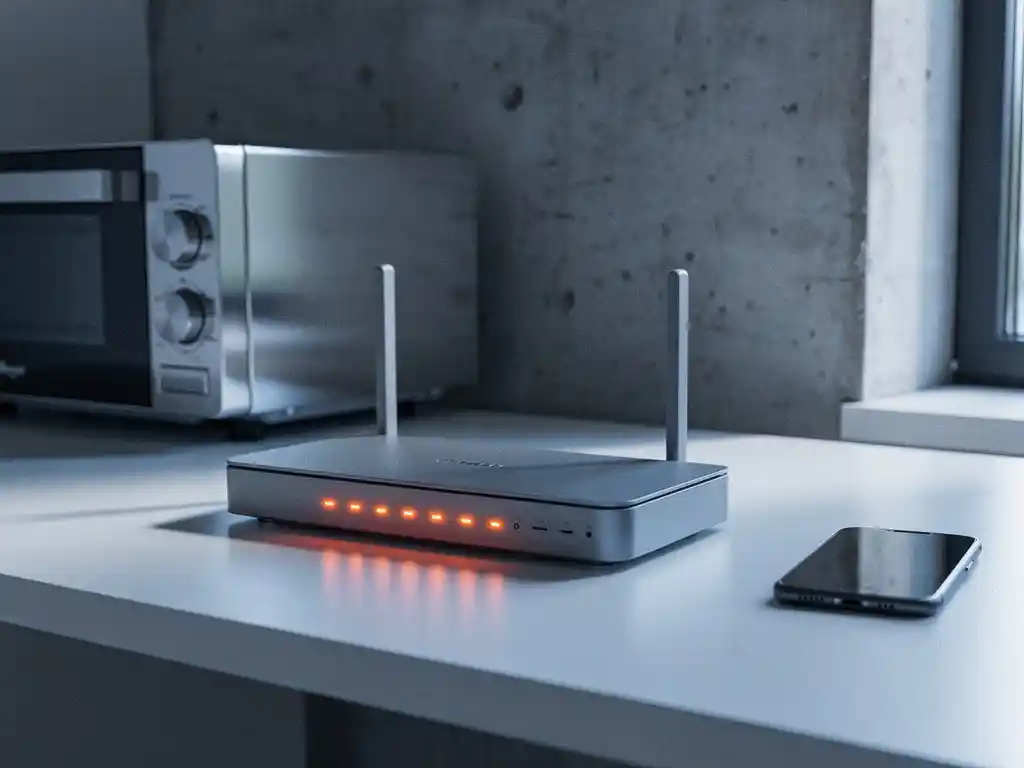
Wi-Fi interference can turn a productive office environment into a frustrating maze of dropped connections and slow internet speeds. Understanding the environmental factors that cause Wi-Fi interference is crucial for maintaining reliable wireless connectivity in any workplace.
From physical obstacles to electronic devices, numerous environmental elements can disrupt your wireless network performance. By identifying these interference sources, you can take proactive steps to optimize your Wi-Fi signal strength and ensure consistent connectivity across your entire facility.
What causes Wi-Fi interference in office environments?
Wi-Fi interference in office environments primarily stems from competing radio-frequency signals, physical barriers, and electromagnetic radiation from electronic devices operating on similar frequencies. The 2.4 GHz and 5 GHz bands that Wi-Fi networks use are shared with many other wireless technologies, creating a crowded spectrum.
The most common sources of office Wi-Fi interference include microwave ovens, Bluetooth devices, wireless phones, and neighboring Wi-Fi networks. Additionally, metal objects, concrete walls, and large pieces of furniture can reflect or absorb Wi-Fi signals, creating dead zones and areas with weak signal strength. Understanding these interference patterns helps network administrators identify problem areas and implement targeted solutions.
Office layouts with open floor plans may experience less physical interference but often suffer from signal overlap between multiple access points. Conversely, traditional office designs with many walls and partitions create more physical barriers but may offer better signal isolation between different areas.
How do physical obstacles affect wireless signal strength?
Physical obstacles weaken wireless signals through absorption, reflection, and scattering of radio waves. Dense materials like concrete, metal, and brick walls can reduce Wi-Fi signal strength by 10–20 dB, while lighter materials like drywall typically cause 3–5 dB of signal loss.
Water-based obstacles present particularly challenging interference scenarios. Aquariums, large plants, and even groups of people can significantly attenuate Wi-Fi signals, since water absorbs radio frequencies effectively. Metal objects such as filing cabinets, elevator shafts, and HVAC ducts create reflection points that can cause multipath interference, where signals arrive at devices via multiple paths with different delays.
The positioning of obstacles relative to Wi-Fi access points and client devices matters significantly. A single wall between an access point and a device may cause minimal interference, while multiple walls or floors can render connections unreliable. Glass partitions, while visually transparent, can also interfere with signals depending on their metallic content and thickness.
Which electronic devices interfere with Wi-Fi networks?
Electronic devices that operate on the 2.4 GHz frequency band create the most significant Wi-Fi interference, including microwave ovens, cordless phones, baby monitors, and Bluetooth devices. These devices can cause temporary or persistent disruption to Wi-Fi networks sharing the same frequency space.
Microwave ovens represent one of the strongest interference sources, potentially disrupting Wi-Fi signals within a 10-meter radius when operating. Cordless phones using DECT technology can cause continuous interference, while older wireless phones operating at 2.4 GHz create more severe disruption. Bluetooth devices, though using frequency hopping to minimize conflicts, can still impact Wi-Fi performance when multiple devices operate simultaneously.
Industrial equipment such as motors, generators, and fluorescent lighting can generate electromagnetic interference across multiple frequency bands. Wireless security cameras, particularly older models, often transmit continuously and can saturate local Wi-Fi channels. Even LED lights with poor electromagnetic shielding can create interference patterns that affect nearby wireless devices.
How does network congestion impact Wi-Fi performance?
Network congestion occurs when multiple devices compete for limited Wi-Fi bandwidth and channel space, resulting in slower speeds, increased latency, and connection drops. This congestion intensifies in dense office environments where numerous devices attempt simultaneous network access.
Channel overlap represents a primary congestion factor, especially on the 2.4 GHz band, where only three non-overlapping channels exist. When neighboring networks use overlapping channels, they interfere with each other even if they are on different networks. The 5 GHz band offers more non-overlapping channels but has shorter range, creating different congestion patterns.
Device density amplifies congestion issues as smartphones, laptops, tablets, and IoT devices all compete for network resources. Modern offices may have 10–20 Wi-Fi-enabled devices per employee, creating significant bandwidth demands. Background applications, automatic updates, and cloud synchronization services contribute to persistent network traffic that can saturate available bandwidth during peak usage periods.
What environmental conditions worsen wireless connectivity?
Temperature fluctuations, humidity levels, and atmospheric conditions can affect wireless signal propagation and equipment performance. High temperatures can cause electronic components in access points and devices to operate less efficiently, while extreme humidity can affect signal transmission through increased atmospheric absorption.
Weather conditions, particularly during storms or periods of high atmospheric-pressure change, can influence radio-wave propagation patterns. While these effects are more pronounced for long-distance communications, they can still affect indoor Wi-Fi performance in buildings with large windows or minimal RF shielding.
Seasonal factors also play a role in Wi-Fi performance. During winter months, heating systems may create electromagnetic interference, while summer air-conditioning units can generate electrical noise. Additionally, changes in building occupancy patterns throughout the year can alter the RF environment as people and equipment move through spaces differently.
How IMPLI-CIT helps with Wi-Fi interference issues
We understand that Wi-Fi interference can severely impact business operations and productivity. Our experienced field engineers and data center specialists provide comprehensive solutions to identify and resolve wireless connectivity issues across your entire network infrastructure.
Our approach to addressing Wi-Fi interference includes:
- Comprehensive site surveys to identify interference sources and signal dead zones
- Professional installation and configuration of access points for optimal coverage
- Real-time monitoring and troubleshooting of wireless network performance
- Hardware replacement and upgrades to eliminate outdated equipment causing interference
- 24/7 availability for emergency connectivity issues that impact business operations
With our directly employed technicians operating across Europe and globally, we ensure consistent service quality and rapid response times for all your wireless infrastructure needs. Contact us today to discuss how we can optimize your Wi-Fi network and eliminate interference issues that are affecting your business productivity.
Frequently Asked Questions
How can I quickly identify which devices are causing Wi-Fi interference in my office?
Start by using a Wi-Fi analyzer app on your smartphone or laptop to scan for active networks and signal strength patterns. Turn off suspected devices one at a time while monitoring network performance, or schedule interference testing during off-hours when fewer devices are active. Professional spectrum analyzers can provide more detailed interference source identification if the problem persists.
What's the best way to position Wi-Fi access points to minimize interference from physical obstacles?
Place access points in central, elevated locations away from metal objects and dense materials. Avoid positioning them near large furniture, filing cabinets, or inside closets. Use a rule of thumb: maintain line-of-sight when possible and ensure access points are at least 6 feet from potential interference sources like microwaves or metal structures.
Should I use 2.4 GHz or 5 GHz networks in a congested office environment?
Use 5 GHz for devices that support it and are within closer range of access points, as it offers more non-overlapping channels and less congestion. Reserve 2.4 GHz for IoT devices, older equipment, and situations requiring longer range coverage. Many modern routers support band steering to automatically direct devices to the optimal frequency.
How often should I perform Wi-Fi site surveys to maintain optimal performance?
Conduct initial comprehensive site surveys before network deployment, then perform quarterly assessments in dynamic office environments. Schedule additional surveys whenever you relocate equipment, renovate office spaces, or experience persistent connectivity issues. Regular monitoring helps identify new interference sources before they significantly impact productivity.
Can upgrading to Wi-Fi 6 or newer standards help reduce interference problems?
Yes, Wi-Fi 6 and newer standards include advanced features like OFDMA, BSS coloring, and improved channel management that help mitigate interference and congestion. These technologies allow better coexistence with neighboring networks and more efficient spectrum usage, though you'll need compatible devices to realize the full benefits.
What's the most cost-effective first step to improve Wi-Fi performance in an interference-heavy environment?
Start by optimizing your current access point placement and channel configuration. Use automatic channel selection features or manually set channels to avoid overlap with neighboring networks. This approach costs nothing but can provide immediate improvements before investing in new hardware or professional services.
How do I know when Wi-Fi interference issues require professional intervention versus DIY solutions?
Consider professional help when basic troubleshooting fails to resolve persistent connectivity issues, when you have complex multi-floor layouts, or when interference affects business-critical operations. If you're experiencing frequent disconnections, significant speed degradation, or need to support high-density device environments, professional site surveys and solutions typically provide better long-term results.
What environmental factors increase wifi interference levels?
