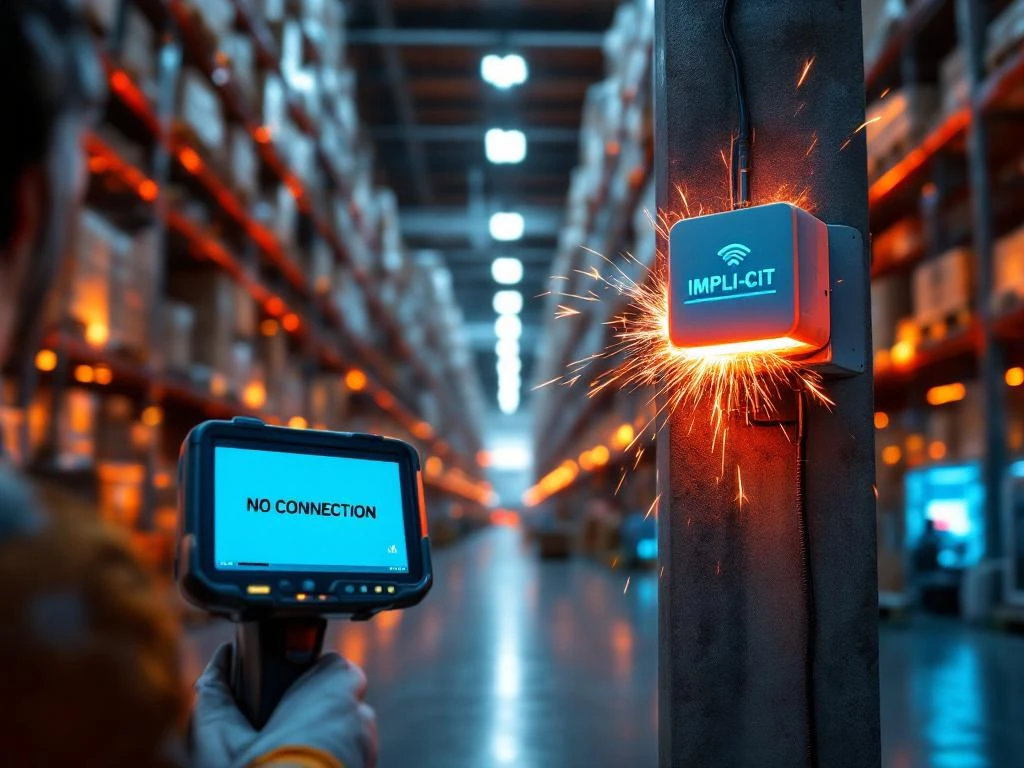
When WiFi fails in a distribution center, operations grind to an immediate halt as handheld scanners disconnect, inventory systems go offline, and warehouse management systems become inaccessible. Workers lose real-time communication with central systems, creating chaos in picking, packing, and shipping processes. This disruption triggers cascading effects throughout the entire supply chain operation.
What immediately happens when WiFi goes down in a distribution center?
The moment WiFi connectivity fails, handheld barcode scanners and mobile devices lose their ability to communicate with the warehouse management system, effectively blinding workers to inventory locations and order details. Staff can no longer access real-time picking instructions, verify product information, or update inventory counts as items move through the facility.
Inventory tracking becomes completely disconnected from actual warehouse activities. Workers cannot confirm stock levels, register new arrivals, or process outbound shipments through the system. This creates an immediate information gap that grows larger with every passing minute, as physical inventory movements continue while digital records remain frozen.
Communication breakdowns occur between different areas of the distribution center. Supervisors lose visibility into worker productivity and task completion status. Coordination between receiving, storage, picking, and shipping departments becomes fragmented, forcing teams to rely on manual communication methods that are slower and more prone to errors.
The warehouse management system’s central coordination capabilities become unavailable, preventing automatic task assignment and route optimization. Workers must either wait for connectivity to be restored or attempt to continue operations using outdated paper-based backup procedures that significantly slow down all processes.
How does WiFi failure impact distribution center productivity and costs?
WiFi outages immediately reduce picking speeds by forcing workers to operate without digital guidance systems and real-time inventory updates. Staff must either halt operations entirely or resort to manual processes that are significantly slower and more error-prone than automated workflows.
Error rates increase dramatically when workers cannot verify product information, check picking accuracy, or confirm shipping details through connected systems. Manual processes lack the built-in verification steps that digital systems provide, leading to incorrect shipments, mislabeled packages, and inventory discrepancies that require costly corrections.
Delayed shipments become inevitable as order processing slows down and coordination between departments breaks down. Customers experience longer delivery times, which can damage relationships and result in contract penalties or lost business. The ripple effect extends beyond immediate operations to impact customer satisfaction and long-term revenue.
Labor inefficiencies multiply as workers spend time on manual workarounds rather than productive activities. Supervisors must redirect resources to coordinate activities manually, while maintenance staff focus on connectivity issues instead of other critical tasks. These inefficiencies translate directly into increased operational costs and reduced throughput capacity.
What are the most common causes of WiFi failures in warehouse environments?
Access point malfunctions represent the most frequent cause of WiFi failures, often resulting from hardware degradation, overheating, or power supply issues. Warehouse environments subject networking equipment to dust, temperature fluctuations, and vibrations from heavy machinery that can cause premature component failure.
Interference from warehouse equipment creates significant connectivity challenges. Forklift trucks, conveyor systems, and metal shelving can block or reflect wireless signals, creating dead zones or unstable connections. Radio frequency interference from other wireless devices, including employee mobile phones and Bluetooth equipment, can also disrupt network performance.
Network infrastructure problems often stem from backbone connectivity issues, switch failures, or configuration errors that affect multiple access points simultaneously. Inadequate network design for warehouse environments can create bottlenecks when multiple devices attempt to connect in high-density areas.
Power problems frequently cause WiFi outages when electrical systems experience fluctuations, outages, or circuit breaker trips. Many access points lack adequate backup power protection, making them vulnerable to brief power interruptions that may not affect other warehouse systems.
Environmental factors, including extreme temperatures, humidity, and dust accumulation, can degrade wireless equipment performance over time. Poor ventilation around networking equipment and inadequate environmental controls can accelerate hardware failures and reduce signal quality.
How quickly can distribution centers recover from WiFi outages?
Recovery timeframes vary significantly depending on the root cause, ranging from minutes for simple access point reboots to hours for complex infrastructure repairs. Having qualified onsite technical support dramatically reduces resolution times by enabling immediate diagnosis and repair without waiting for external service providers.
Simple connectivity issues, such as access point reboots or cable reconnections, can often be resolved within 15–30 minutes by trained personnel. However, hardware failures requiring component replacement may take several hours, especially if replacement parts are not readily available on-site.
Emergency procedures should include immediate escalation protocols, backup communication methods, and temporary workarounds that allow critical operations to continue. Well-prepared facilities maintain spare networking equipment and have established relationships with technical support providers who can respond rapidly to outages.
Backup systems play a crucial role in minimizing downtime impact. Some distribution centers implement redundant WiFi networks, cellular backup connections, or hybrid systems that automatically switch to alternative connectivity when primary networks fail. These systems can reduce effective downtime to mere seconds or minutes.
The importance of qualified onsite support cannot be overstated for maintaining operational continuity. Having experienced technicians available who understand both networking infrastructure and warehouse operations enables faster diagnosis and more effective temporary solutions. A comprehensive WiFi site survey conducted by qualified professionals can identify potential failure points and recommend improvements to prevent future outages. When connectivity issues arise, immediate access to expert technical support ensures minimal disruption to critical distribution operations.
Frequently Asked Questions
What backup procedures should distribution centers have in place before WiFi failures occur?
Distribution centers should maintain updated paper-based picking lists, establish manual inventory tracking sheets, and train staff on non-digital communication protocols. Keep spare networking equipment on-site, document emergency contact information for technical support, and create clear escalation procedures that supervisors can implement immediately when connectivity fails.
How can distribution centers prevent WiFi dead zones that cause connectivity issues?
Conduct regular WiFi site surveys to identify coverage gaps and signal interference patterns throughout the facility. Install additional access points in problem areas, use directional antennas to focus signals around metal shelving, and position networking equipment away from heavy machinery that generates electromagnetic interference.
What warning signs indicate that WiFi infrastructure might be approaching failure?
Monitor for frequent device disconnections, slow data transfer speeds, and intermittent connectivity in specific warehouse areas. Watch for access points that require frequent reboots, increasing error rates in scanning operations, and worker complaints about device performance during peak operational hours.
Should distribution centers invest in redundant WiFi systems or cellular backup connections?
Yes, redundant systems are essential for mission-critical operations. Implement dual WiFi networks on separate infrastructure, deploy cellular backup devices for key systems, and consider hybrid solutions that automatically switch between connection types. The cost of redundancy is typically far less than the losses from extended downtime.
How do you maintain WiFi performance during peak operational periods when device density is highest?
Implement load balancing across multiple access points, upgrade to WiFi 6 or newer standards that handle device density better, and schedule bandwidth-intensive activities during off-peak hours. Monitor network utilization regularly and add capacity before reaching critical thresholds that could trigger performance degradation.
What specific training should warehouse staff receive to handle WiFi outages effectively?
Train workers on manual backup procedures, teach supervisors how to coordinate operations without digital systems, and ensure technical staff can perform basic network troubleshooting. Include regular drills that simulate WiFi outages so teams can practice emergency procedures and identify process improvements.
How often should distribution centers test their WiFi infrastructure to prevent unexpected failures?
Perform monthly connectivity tests throughout the facility, conduct quarterly comprehensive network assessments, and schedule annual professional site surveys. Test backup systems monthly and verify that emergency procedures work correctly. Document all testing results to track performance trends and identify degradation patterns.
What happens when WiFi fails in a distribution center?