


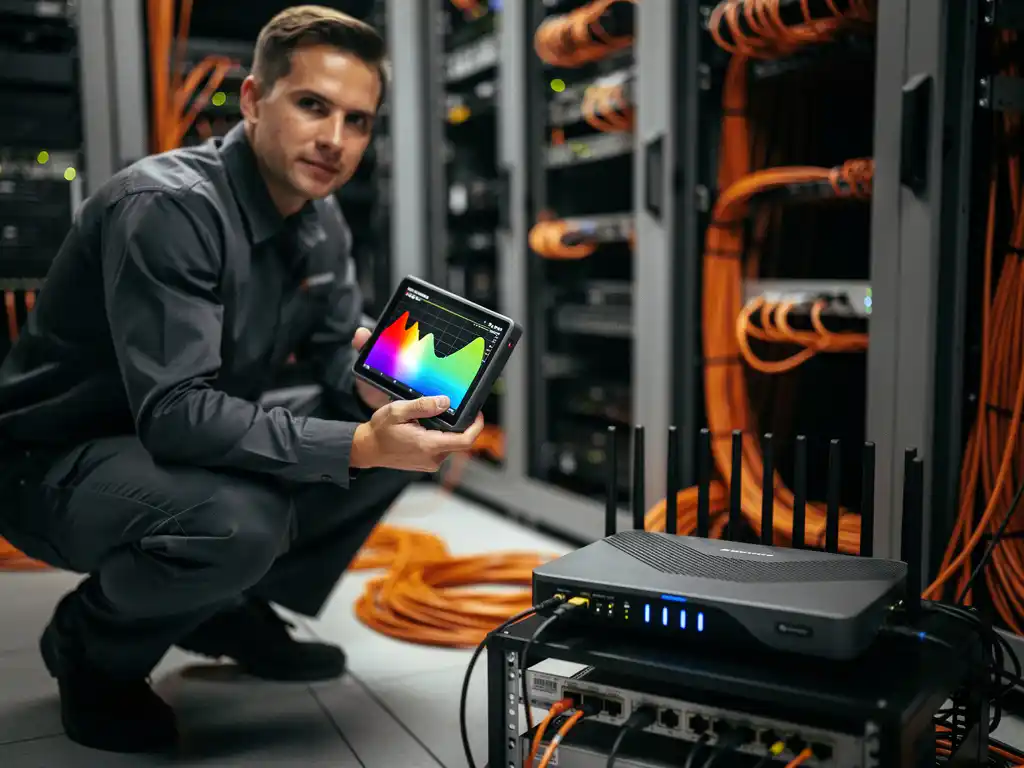
Network connectivity issues can bring business operations to a halt, and Wi‑Fi interference is often the hidden culprit behind frustrating connectivity problems. When employees experience slow internet speeds, dropped connections, or unreliable network access, the root cause frequently lies in competing signals that disrupt your wireless infrastructure.
Understanding how to perform a systematic Wi‑Fi interference root-cause analysis is essential for maintaining reliable network performance. This diagnostic process helps IT professionals identify, isolate, and resolve the underlying sources of wireless network disruption before they impact productivity and business operations.
What is Wi‑Fi interference, and why does it cause network problems?
Wi‑Fi interference occurs when competing radio-frequency signals disrupt wireless communication between devices and access points, causing reduced signal strength, slower data transmission speeds, and connection instability. This interference happens because Wi‑Fi operates on shared radio-frequency bands that other devices also use.
The primary reason Wi‑Fi interference creates network problems is signal degradation. When multiple devices transmit on the same or overlapping frequencies, they compete for the available radio spectrum. This competition forces Wi‑Fi devices to retransmit data packets, increases latency, and can cause complete connection drops in severe cases.
Interference manifests in several ways that directly impact the user experience. Networks may experience intermittent connectivity, where devices randomly disconnect and reconnect; significantly slower data-transfer speeds that affect file downloads and video streaming; and increased packet loss that disrupts real-time applications like video conferencing.
What are the most common sources of Wi‑Fi interference in office environments?
The most common sources of Wi‑Fi interference in office environments include microwave ovens, Bluetooth devices, cordless phones, neighboring Wi‑Fi networks, and electronic equipment operating on the 2.4 GHz frequency band. These devices create overlapping signals that compete with your wireless network.
Microwave ovens are particularly problematic because they operate at 2.45 GHz, directly overlapping with Wi‑Fi channel frequencies. When employees heat food during lunch breaks, nearby Wi‑Fi connections often experience significant disruption. Similarly, older cordless phone systems operating on 2.4 GHz can create persistent interference throughout the workday.
Bluetooth devices present another common source of interference, especially in modern offices filled with wireless keyboards, mice, headsets, and smartphones. While Bluetooth uses frequency hopping to minimize conflicts, high concentrations of these devices can still impact Wi‑Fi performance.
Neighboring Wi‑Fi networks from adjacent offices or buildings create channel-overlap interference. When multiple networks operate on the same or overlapping channels, they compete for bandwidth and create signal congestion that affects all connected devices.
How do you identify Wi‑Fi interference using diagnostic tools?
You can identify Wi‑Fi interference using spectrum analyzers, Wi‑Fi analyzer software, and network monitoring tools that measure signal strength, detect competing frequencies, and map channel-utilization patterns. These tools provide real-time visibility into the radio-frequency environment surrounding your network.
Professional spectrum analyzers offer the most comprehensive interference detection by scanning the entire 2.4 GHz and 5 GHz bands to identify non‑Wi‑Fi devices transmitting in your environment. These tools display signal strength over time, helping you correlate interference patterns with specific devices or activities.
Software-based Wi‑Fi analyzers provide an accessible starting point for interference detection. Tools like WiFi Explorer, inSSIDer, or built-in operating system utilities can identify nearby networks, measure signal overlap, and recommend optimal channel configurations. These applications show channel-utilization graphs that reveal congested frequency ranges.
Network monitoring platforms complement these tools by tracking performance metrics over time. By monitoring connection quality, throughput variations, and error rates, you can identify interference patterns that correlate with specific times, locations, or activities within your environment.
What’s the difference between 2.4 GHz and 5 GHz interference issues?
2.4 GHz networks experience more interference sources and channel-overlap issues, while 5 GHz networks face fewer interference sources but have reduced range and building-penetration capabilities. The key difference lies in frequency-band characteristics and device compatibility.
The 2.4 GHz band suffers from significant overcrowding because it’s shared with numerous household and office devices. This frequency range contains only three non-overlapping channels in most regions, creating inevitable conflicts in dense environments. Additionally, 2.4 GHz signals travel farther and penetrate walls more effectively, which increases the likelihood of interference from distant sources.
In contrast, the 5 GHz band offers many more non-overlapping channels—typically 23 or more, depending on regional regulations. This abundance of channels significantly reduces the probability of interference from neighboring Wi‑Fi networks. However, 5 GHz signals have shorter range and reduced building penetration, which can create coverage gaps if not properly planned.
The interference sources also differ between bands. While 2.4 GHz faces competition from microwaves, Bluetooth devices, and cordless phones, 5 GHz interference typically comes from radar systems, weather-monitoring equipment, and other specialized devices that are less common in typical office environments.
How do you perform a systematic Wi‑Fi site survey for interference analysis?
A systematic Wi‑Fi site survey for interference analysis involves measuring signal strength at multiple locations, documenting competing networks and devices, testing during different time periods, and creating detailed maps of interference patterns throughout your environment.
Begin by establishing a grid pattern throughout your facility and taking measurements at consistent intervals. Use professional site-survey tools to record signal strength, noise levels, and interference sources at each measurement point. This systematic approach ensures comprehensive coverage and identifies interference hotspots that might be missed with random sampling.
Document all detected networks, including their channels, signal strengths, and approximate locations. Pay particular attention to networks operating on the same channels as your infrastructure, as these create the most significant potential for interference. Note any patterns in network naming that might indicate coordinated deployments by neighboring businesses.
Conduct measurements at different times and on different days to capture varying interference patterns. Office environments change significantly between business hours and evenings, and between weekdays and weekends. Some interference sources, like microwave ovens, appear only at specific times, while others may be constant background sources.
Create detailed heat maps and interference documentation that show signal coverage, interference zones, and recommended remediation areas. This documentation becomes essential for planning network improvements and tracking the effectiveness of interference-mitigation strategies.
How do you resolve Wi‑Fi interference once you’ve identified the root cause?
Once you’ve identified the root causes of Wi‑Fi interference, resolve them through channel optimization, power adjustments, device relocation, frequency-band migration, and the implementation of interference-mitigation technologies. The specific solution depends on the interference source and your network configuration.
Channel optimization is often the most immediate solution for network-based interference. Move your access points to less congested channels, ensuring adequate separation from neighboring networks. For 2.4 GHz networks, use channels 1, 6, and 11 to avoid overlap, while 5 GHz networks offer more flexibility with numerous non-overlapping options.
Power adjustments help minimize the impact of interference while maintaining adequate coverage. Reducing transmission power on access points can decrease interference with neighboring networks while still providing sufficient signal strength for connected devices. This approach requires a careful balance to avoid creating coverage gaps.
Physical relocation of interference sources or access points often provides an effective resolution. Moving microwave ovens away from critical Wi‑Fi coverage areas, relocating access points to reduce overlap with neighboring networks, or repositioning electronic equipment can significantly improve network performance.
Consider migrating devices to less congested frequency bands when possible. Moving compatible devices from 2.4 GHz to 5 GHz reduces congestion on the more crowded frequency band and often provides better performance for bandwidth-intensive applications.
Hoe IMPLI-CIT helpt met Wi‑Fi-interferentieanalyse
Wij bieden gespecialiseerde technische ondersteuning op locatie voor complexe Wi‑Fi-interferentieproblemen die uw bedrijfsvoering verstoren. Onze gecertificeerde field engineers en data center specialists voeren systematische site surveys uit en implementeren effectieve oplossingen voor interferentieproblemen.
Onze aanpak omvat:
- Professionele spectrumanalyse met geavanceerde diagnostische tools
- Gedetailleerde interferentiemapping en documentatie
- Optimalisatie van kanaalconfiguraties en netwerkinstellingen
- 24/7 beschikbaarheid voor kritieke interferentieproblemen
- Proactieve monitoring en preventief onderhoud
Met meer dan 20 jaar ervaring in IT-infrastructuurondersteuning begrijpen we hoe Wi‑Fi-interferentie uw bedrijfsprocessen kan verstoren. Neem contact met ons op voor professionele ondersteuning bij het oplossen van complexe Wi‑Fi-interferentie-uitdagingen in uw omgeving.
[seoaic_faq][{“id”:0,”title”:”How long does a typical Wi-Fi interference analysis take to complete?”,”content”:”A comprehensive Wi-Fi interference analysis typically takes 1-3 days depending on facility size and complexity. Small offices may require only 4-6 hours, while large multi-floor buildings or campuses can take several days to properly survey and analyze all interference sources.”},{“id”:1,”title”:”Can I perform Wi-Fi interference analysis with free tools, or do I need expensive equipment?”,”content”:”You can start with free Wi-Fi analyzer apps like WiFi Analyzer (Android) or WiFi Explorer Lite (Mac) for basic interference detection. However, professional spectrum analyzers costing $2,000-$10,000 are necessary for detecting non-Wi-Fi interference sources like microwaves and Bluetooth devices that free tools cannot identify.”},{“id”:2,”title”:”What should I do if the interference source is coming from a neighboring business?”,”content”:”Contact the neighboring business to discuss channel coordination and mutually beneficial solutions. Most businesses are willing to cooperate when interference affects both networks. If direct communication fails, consider using directional antennas, adjusting power levels, or implementing band steering to minimize overlap.”},{“id”:3,”title”:”How often should I repeat Wi-Fi interference analysis in my office environment?”,”content”:”Perform interference analysis quarterly in stable environments, or immediately when network performance issues arise. High-density office buildings or environments with frequent equipment changes may require monthly monitoring. Always re-analyze after major office renovations, equipment installations, or when new neighboring networks appear.”},{“id”:4,”title”:”Will moving to Wi-Fi 6 or newer standards solve my interference problems?”,”content”:”Wi-Fi 6 and newer standards include better interference mitigation features like OFDMA and improved channel utilization, but they won’t eliminate interference from non-Wi-Fi sources like microwaves or Bluetooth devices. Upgrading helps with network-to-network interference but requires a comprehensive analysis to address all interference sources.”},{“id”:5,”title”:”What’s the biggest mistake businesses make when trying to fix Wi-Fi interference?”,”content”:”The most common mistake is increasing access point power levels thinking it will solve connectivity issues. This actually worsens interference by creating more signal overlap and competition. Instead, focus on proper channel planning, optimal access point placement, and identifying the actual interference sources before making changes.”},{“id”:6,”title”:”How do I know if my interference problem requires professional help?”,”content”:”Seek professional help if interference affects business-critical operations, spans multiple locations, involves unknown interference sources, or persists after basic troubleshooting. Complex environments with regulatory compliance requirements or mission-critical applications should always involve certified wireless professionals for proper analysis and remediation.”}][/seoaic_faq]