Wi-Fi interference can turn a promising network deployment into a frustrating connectivity nightmare. During site surveys, identifying interference sources early prevents costly rework and ensures optimal network performance for your organization. Understanding how to detect and address Wi-Fi interference is essential for any IT professional conducting wireless network assessments.
Whether you’re deploying a new network or troubleshooting existing connectivity issues, systematic interference detection during site surveys saves time, money, and prevents future headaches. Let’s explore the tools and techniques that will help you identify and resolve Wi-Fi interference challenges effectively.
What Is Wi-Fi Interference and Why Does It Matter During Site Surveys?
Wi-Fi interference occurs when other electronic devices or signals disrupt wireless network communications by operating on the same or overlapping radio frequencies. This interference degrades network performance, causes connection drops, and reduces the overall user experience across your wireless infrastructure.
During site surveys, identifying Wi-Fi interference is crucial because it directly impacts network design decisions. Interference sources can force you to adjust access point placement, modify channel assignments, or implement additional shielding measures. Detecting these issues early prevents you from deploying a network that will underperform from day one.
The cost implications are significant. Addressing interference during the survey phase costs far less than retrofitting solutions after network deployment. Poor wireless performance leads to user complaints, reduced productivity, and potential business disruption that could have been avoided with proper interference assessment.
What Are the Most Common Sources of Wi-Fi Interference?
The most common Wi-Fi interference sources include microwave ovens, Bluetooth devices, baby monitors, wireless security cameras, and other Wi-Fi networks operating on overlapping channels. These devices typically operate in the 2.4 GHz ISM band, creating significant interference potential.
Industrial environments present additional challenges, with interference from manufacturing equipment, motors, and welding operations. These sources generate broadband electromagnetic noise that can disrupt wireless communications across multiple frequency bands. Medical facilities face interference from diagnostic equipment, while retail environments deal with barcode scanners and point-of-sale systems.
Physical obstacles also contribute to interference patterns. Metal structures, concrete walls, and large machinery create reflection and absorption effects that can cause signal degradation and multipath interference. Understanding your environment’s specific interference landscape is essential for effective network planning.
What Tools Do You Need to Detect Wi-Fi Interference During Site Surveys?
Essential Wi-Fi interference detection tools include spectrum analyzers, wireless site survey software, and dedicated RF analysis equipment. Professional-grade tools like Wi-Fi Explorer, inSSIDer, or Ekahau Site Survey provide comprehensive interference detection capabilities during site assessments.
Spectrum analyzers are particularly valuable because they show all RF activity across wireless frequency bands, not just Wi-Fi signals. This capability helps identify non-Wi-Fi interference sources that standard wireless tools might miss. Many modern site survey applications include built-in spectrum analysis features for comprehensive interference detection.
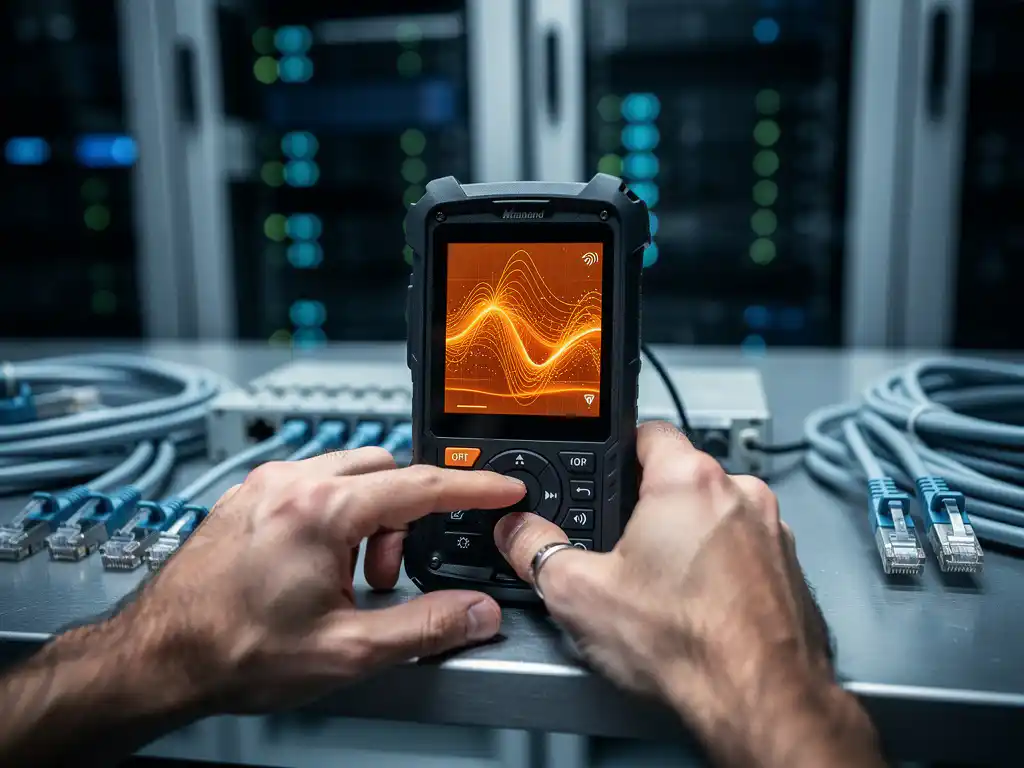
Portable spectrum analyzers offer real-time interference monitoring during surveys. These devices display RF energy levels across frequency ranges, helping identify interference patterns and sources. Combined with directional antennas, they enable precise interference source location and characterization.
How Do You Use Spectrum Analysis to Identify Interference Sources?
Spectrum analysis identifies interference sources by displaying RF energy levels across frequency ranges in real time, showing both Wi-Fi and non-Wi-Fi signals that could impact network performance. The key is to look for unusual energy patterns, persistent signals outside normal Wi-Fi channels, and periodic interference spikes.
Start by establishing a baseline spectrum reading in areas without known interference sources. This baseline helps identify abnormal signals during the survey process. Move systematically through the survey area, noting changes in the spectrum display that indicate potential interference sources.
Look for specific interference signatures. Microwave ovens create characteristic broadband noise bursts. Bluetooth devices show frequency-hopping patterns. Wireless cameras often appear as continuous signals on specific channels. Video transmitters create wideband signals that can affect multiple Wi-Fi channels simultaneously.
Document interference amplitude, frequency range, and timing patterns. Intermittent interference requires longer observation periods to characterize it fully. Use directional antennas to pinpoint interference source locations and determine whether sources are internal or external to your facility.
How Do You Document and Map Interference Issues During Site Surveys?
Document interference issues by recording signal strength measurements, affected frequency ranges, interference source locations, and timing patterns on detailed floor plans or site maps. This documentation creates a comprehensive interference profile that guides network design decisions.
Create interference heat maps showing signal strength variations across the survey area. Mark specific interference source locations with GPS coordinates or detailed facility references. Include photographs of potential interference sources and their proximity to planned access point locations.
Record interference characteristics, including signal amplitude, affected frequency ranges, and temporal patterns. Note whether interference is continuous, periodic, or triggered by specific activities. This information helps determine appropriate mitigation strategies and influences channel-planning decisions.
Use standardized documentation formats that integrate with your site survey software. Many professional survey tools automatically generate interference reports with spectrum analysis data, source locations, and recommended mitigation approaches. Consistent documentation enables effective communication with network design teams and facility management.
What Should You Do When You Find Wi-Fi Interference During a Survey?
When you discover Wi-Fi interference during a survey, immediately document the source location, affected frequencies, and interference characteristics, then develop mitigation strategies that may include source elimination, channel adjustments, or access point repositioning. The specific response depends on the interference severity and how controllable the source is.
For controllable interference sources, such as improperly configured equipment, coordinate with facility management to address the issue directly. Microwave ovens near planned access point locations might require relocation or shielding. Rogue wireless devices should be identified and properly configured or removed.
When interference sources cannot be eliminated, adjust your network design accordingly. This might involve changing planned access point locations, selecting different wireless channels, or implementing additional access points to provide adequate coverage despite interference. Consider upgrading to the 5 GHz band, where interference is typically less severe.
For external interference sources beyond your control, document their impact and design around them. This might require higher-powered access points, directional antennas, or RF shielding solutions. Always verify that your mitigation strategies maintain the required coverage and performance levels through follow-up testing.
How IMPLI-CIT Helps with Wi-Fi Interference Detection
We provide comprehensive Wi-Fi interference detection and resolution services as part of our IT Infrastructure Assessment & Planning offerings. Our certified field engineers conduct thorough site surveys using professional-grade spectrum analysis equipment to identify and document all interference sources affecting your wireless network performance.
Our interference detection services include:
- Professional spectrum analysis using advanced RF measurement tools
- Comprehensive interference source identification and documentation
- Detailed mitigation strategy development and implementation
- Follow-up verification testing to ensure optimal network performance
- Ongoing support for interference monitoring and resolution
With over 20 years of experience in IT infrastructure deployment, our team understands how Wi-Fi interference impacts business operations. We work as an extension of your internal IT team, providing the expertise and tools necessary to ensure your wireless network delivers reliable performance. Contact us to discuss how our interference detection services can optimize your wireless network deployment.
Frequently Asked Questions
How long does it typically take to conduct a thorough Wi-Fi interference assessment during a site survey?
A comprehensive Wi-Fi interference assessment usually takes 1-3 days depending on facility size and complexity. Small offices might require only a few hours, while large multi-floor buildings or industrial facilities can take several days to properly assess all potential interference sources and document findings.
Can Wi-Fi interference from neighboring buildings affect my network, and how do I address external sources?
Yes, external Wi-Fi networks and RF sources from neighboring buildings can significantly impact your network performance, especially on the 2.4 GHz band. Use directional antennas during surveys to identify external sources, then mitigate by selecting less congested channels, upgrading to 5 GHz, or implementing RF shielding on exterior-facing access points.
What's the difference between Wi-Fi interference and Wi-Fi congestion, and why does it matter for site surveys?
Wi-Fi interference comes from non-Wi-Fi devices disrupting wireless signals, while Wi-Fi congestion results from too many Wi-Fi networks competing for the same channels. During site surveys, you need different tools and strategies for each - spectrum analyzers for interference detection and Wi-Fi scanners for congestion analysis.
Should I conduct interference testing during business hours or after hours for the most accurate results?
Conduct interference testing during both business hours and after hours to get a complete picture. Business hours reveal operational interference from equipment, devices, and user activity, while after-hours testing shows baseline RF conditions and identifies persistent interference sources that might be masked during peak activity.
How do I prioritize which interference sources to address first when I find multiple issues?
Prioritize interference sources based on their impact severity, controllability, and cost to remediate. Address high-amplitude continuous interference first, followed by sources affecting critical coverage areas. Focus on controllable internal sources before tackling external interference, and consider the cost-benefit ratio of each mitigation strategy.
What are the most cost-effective solutions for common Wi-Fi interference problems found during site surveys?
The most cost-effective solutions include relocating interfering devices away from access points, switching to less congested channels (especially 5 GHz), repositioning planned AP locations, and coordinating with facility management to address controllable sources. These approaches typically cost less than hardware upgrades or extensive RF shielding solutions.
How often should I repeat interference assessments after the initial network deployment?
Conduct follow-up interference assessments annually or whenever you experience unexplained performance degradation. The RF environment changes over time as new equipment is added, neighboring networks expand, and facility layouts evolve. Regular assessments help maintain optimal network performance and identify emerging interference issues before they impact users.
How do you identify wifi interference during site surveys?