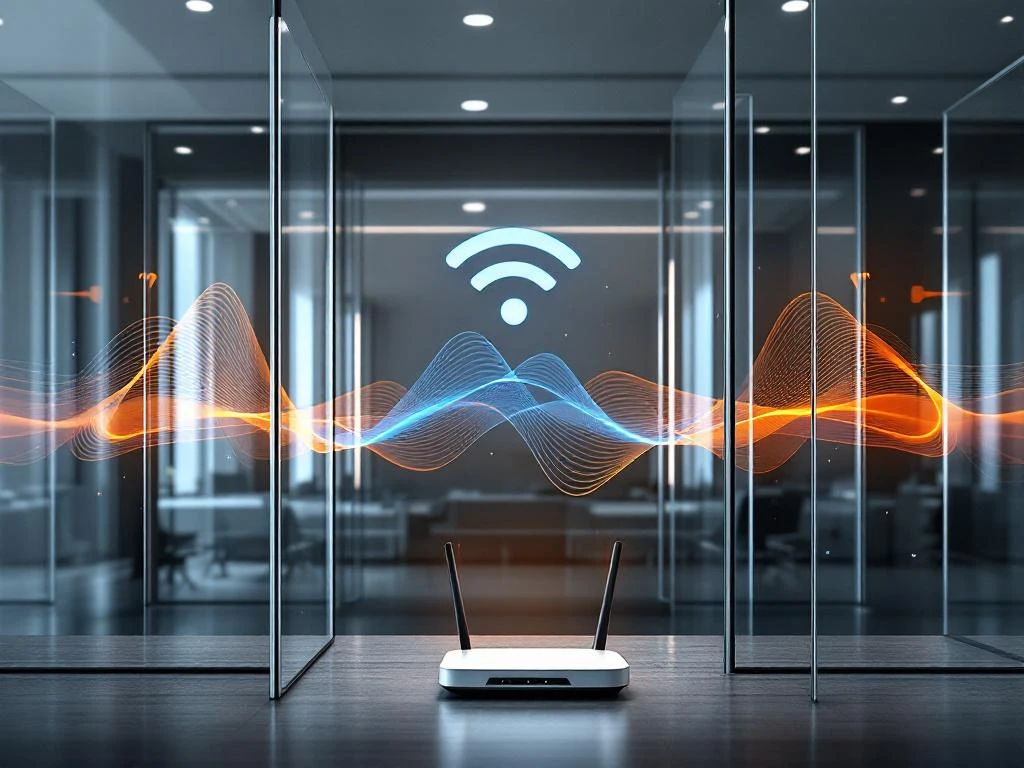
Glass walls and partitions can significantly impact WiFi coverage by blocking, reflecting, and absorbing wireless signals. The degree of interference depends on the glass type, thickness, and any special coatings applied. Standard office glass partitions typically reduce signal strength by 6–8 dB, while specialised architectural glass with metallic coatings can cause losses of 20–30 dB or more. Understanding these effects helps businesses plan appropriate wireless infrastructure in modern, glass-heavy office environments.
What happens when WiFi signals encounter glass walls and partitions?
WiFi signals behave differently when they encounter glass barriers, depending on the material composition and construction. Radio waves can be reflected, absorbed, or partially transmitted through glass, with the specific outcome determined by the glass type and any metallic elements present. Standard clear glass allows most WiFi signals to pass through with minimal interference, while specialised glass with coatings or embedded materials can create significant barriers.
The physics behind this interaction involves electromagnetic wave behaviour at material boundaries. When a WiFi signal encounters glass, part of the energy reflects back towards the source, part is absorbed by the material, and the remainder continues through to the other side. The proportion of each depends on the glass composition, thickness, and surface treatments.
Different glass compositions affect wireless signals in distinct ways. Standard float glass used in basic partitions has minimal impact on 2.4 GHz and 5 GHz frequencies. However, when manufacturers add metallic oxides for tinting, incorporate wire mesh for safety, or apply low-emissivity coatings for energy efficiency, the glass becomes much more problematic for wireless signals. These additives create a partial Faraday cage effect, blocking or severely attenuating radio frequency transmission.
How much do glass partitions actually reduce WiFi signal strength?
Standard office glass partitions typically cause signal attenuation of 6–8 dB, which represents roughly a 75% reduction in signal strength. Thicker architectural glass can cause losses of 10–15 dB, while specialised glass with metallic coatings or embedded materials may result in 20–30 dB of attenuation or more. These losses can transform strong WiFi coverage into weak or unusable connections.
Several factors influence the actual signal loss experienced. Glass thickness plays a direct role, with each additional millimetre of standard glass adding approximately 0.5–1 dB of loss. However, the composition matters more than thickness alone. Laminated glass, which consists of multiple layers bonded with plastic interlayers, can double or triple the signal loss compared with solid glass of equivalent thickness.
Metallic coatings present the most significant challenge for wireless signals. Low-E (low-emissivity) coatings, commonly applied to energy-efficient windows, contain thin metallic layers that reflect infrared radiation. Unfortunately, these same coatings also reflect radio frequencies used by WiFi networks. The result can be signal losses exceeding 20 dB, effectively creating dead zones behind coated glass barriers.
Why do some glass walls block WiFi more than others?
The variation in WiFi-blocking capability stems from different manufacturing processes and materials used in glass construction. Tempered glass typically has minimal impact on wireless signals, while laminated safety glass with metal mesh or low-E coated architectural glass can create substantial barriers. Smart glass technologies that use liquid crystals or electrochromic materials also tend to interfere significantly with radio frequency transmission.
Manufacturing processes introduce various additives that affect RF transparency. Tinted glass contains metallic oxides that absorb both light and radio waves. Fire-rated glass often incorporates wire mesh or special interlayers that create partial shielding effects. These safety and aesthetic enhancements come at the cost of wireless signal transmission capability.
The frequency-dependent nature of glass interference means that different WiFi bands experience varying levels of attenuation. Generally, higher-frequency signals (5 GHz) suffer more attenuation than lower frequencies (2.4 GHz) when passing through glass barriers. This characteristic becomes particularly relevant in modern offices using dual-band wireless networks, where the faster 5 GHz band may become unusable while 2.4 GHz remains functional.
What are the most effective solutions for WiFi coverage in glass-partitioned offices?
The most effective approach combines strategic access point placement with professional site assessment to identify optimal coverage patterns. Installing additional access points on both sides of major glass barriers ensures adequate signal strength throughout the space. Mesh networking solutions can also bridge coverage gaps by creating multiple signal paths around glass obstacles.
Professional WiFi site survey services provide crucial insights for complex, glass-heavy environments. These assessments identify signal dead zones, measure actual attenuation levels, and recommend specific equipment placement for optimal coverage. A comprehensive survey considers not just current glass installations but also planned office reconfigurations that might affect wireless performance.
Strategic access point placement involves positioning wireless equipment to minimise interference from glass barriers. This might include ceiling-mounted units that transmit over partition tops, wall-mounted access points that serve specific glass-enclosed areas, or desktop units that provide localised coverage. The goal is to create overlapping coverage zones that account for glass-related signal losses.
For organisations managing multiple locations with challenging glass architectures, professional deployment and ongoing support become essential. Expert consultation ensures that wireless infrastructure investments deliver reliable connectivity while avoiding costly trial-and-error approaches. These services include site surveys, equipment specification, installation coordination, and performance verification across diverse architectural environments.
When glass-related WiFi challenges impact business operations, seeking professional assessment and deployment support ensures optimal outcomes. Experienced technicians can evaluate specific glass types, measure actual signal impacts, and design solutions that deliver reliable connectivity throughout complex office environments. For comprehensive wireless infrastructure support and expert guidance, organisations can explore professional consultation options to address their specific coverage requirements.
Frequently Asked Questions
How can I test if glass partitions are affecting my WiFi performance?
Use a WiFi analyzer app on your smartphone or laptop to measure signal strength on both sides of glass partitions. Compare the readings - if you see a drop of more than 10 dB, the glass is significantly impacting your wireless performance. You can also perform speed tests in different areas to identify coverage gaps.
Should I upgrade to WiFi 6 to overcome glass partition interference?
While WiFi 6 offers improved performance and efficiency, it won't eliminate the physical signal blocking caused by glass partitions. The newer standard may provide better coverage through improved antenna technology and signal processing, but you'll still need proper access point placement and potentially additional hardware to overcome significant glass-related attenuation.
Can I retrofit existing glass partitions to be more WiFi-friendly?
Unfortunately, you cannot modify existing glass partitions to improve WiFi transparency without replacing the glass entirely. However, you can install additional access points, use wireless repeaters, or implement mesh networking solutions to work around the existing glass barriers rather than modifying the partitions themselves.
What's the most cost-effective solution for small offices with glass partition WiFi issues?
For small offices, strategically placed WiFi extenders or a mesh networking system often provides the most cost-effective solution. Position extenders on both sides of major glass barriers to bridge coverage gaps. This approach costs significantly less than professional enterprise solutions while addressing most connectivity issues in smaller spaces.
How do I convince management to invest in additional WiFi infrastructure due to glass partitions?
Document the business impact by measuring actual productivity losses from poor connectivity, such as dropped video calls, slow file transfers, or employees moving to different areas to work. Present specific signal strength measurements and cost comparisons showing how infrastructure investment prevents ongoing productivity losses and potential revenue impacts.
Will future glass technologies be more WiFi-friendly?
Some manufacturers are developing 'RF-transparent' glass products that maintain energy efficiency while allowing better wireless signal transmission. However, these specialized products are currently expensive and not widely available. For now, planning wireless infrastructure around existing glass limitations remains the most practical approach.
What should I ask my architect or contractor about glass specifications for a new office?
Request specific information about glass coatings, metallic content, and RF transparency ratings for all partition materials. Ask for samples that can be tested with wireless equipment before installation. Ensure your IT team reviews glass specifications early in the design process, as changing glass types after installation is extremely expensive.
How do glass walls and partitions affect WiFi coverage?