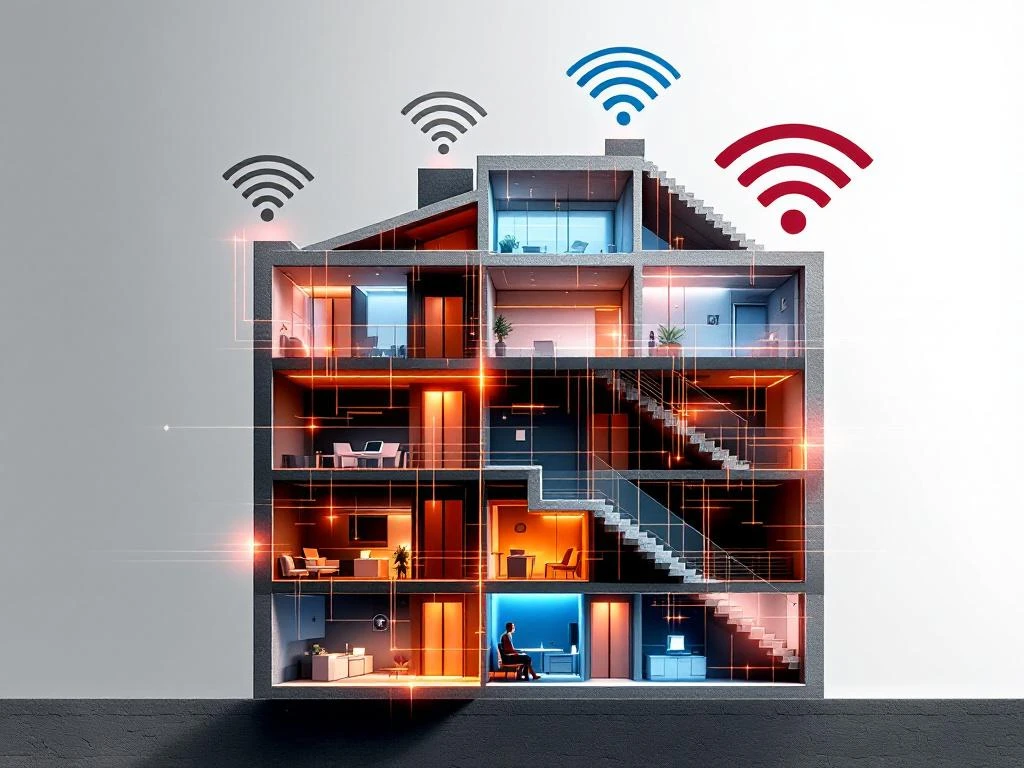
Elevators and stairwells create WiFi dead zones primarily because their enclosed construction with metal components and thick concrete walls blocks radio frequency signals. These vertical spaces act as Faraday cages, preventing wireless signals from penetrating effectively. The combination of metal elevator shafts, reinforced concrete, and limited access points creates significant barriers to consistent WiFi coverage throughout buildings.
What exactly causes WiFi signals to fail in elevators and stairwells?
WiFi signals fail in elevators and stairwells because these spaces are built with materials that naturally block radio frequency transmission. Metal elevator cars, steel reinforcement in concrete walls, and enclosed shaft designs create electromagnetic barriers that prevent 2.4 GHz and 5 GHz signals from reaching devices effectively.
The physics behind this interference involves several key factors. Metal surfaces reflect and absorb radio waves rather than allowing them to pass through. When you step into a metal elevator car, you’re essentially entering a Faraday cage that shields the interior from external electromagnetic signals. The same principle applies to stairwells surrounded by reinforced concrete walls containing steel mesh.
Concrete walls present additional challenges beyond their metal reinforcement. The density and thickness of concrete naturally attenuate WiFi signals, with signal strength decreasing significantly as it attempts to penetrate these barriers. The vertical nature of these spaces compounds the problem, as most access points are positioned horizontally throughout building floors rather than optimally placed for vertical signal distribution.
Building design elements further complicate signal propagation. Elevator shafts often run through the building core, surrounded by other infrastructure such as electrical systems and plumbing that create additional interference. Emergency lighting systems and elevator control equipment generate electromagnetic noise that can disrupt nearby wireless communications.
Why do some buildings have worse elevator and stairwell WiFi than others?
Building construction materials, age, and architectural design significantly impact WiFi performance in vertical spaces. Modern buildings with steel and glass construction typically experience more severe signal attenuation than older buildings with lighter construction materials. The type of elevator system and shaft design also determines how effectively wireless signals can penetrate these areas.
The era of construction plays a crucial role in WiFi coverage challenges. Buildings constructed before the 1990s often used less dense concrete and minimal steel reinforcement compared with modern structures. Contemporary buildings frequently incorporate more metal components, energy-efficient materials, and denser construction that creates more effective barriers to radio frequency signals.
Elevator types affect signal penetration differently. Hydraulic elevators typically have less metal infrastructure than traction elevators with their extensive cable and counterweight systems. Glass elevators in atriums may provide better signal transmission than traditional enclosed cars, though the surrounding shaft construction remains the primary factor.
Architectural layout influences how signals reach vertical spaces. Buildings with central elevator cores surrounded by office spaces face greater challenges than those with elevators positioned near exterior walls where access points might be closer. The number of floors between access points and elevator areas directly correlates with signal strength degradation.
Building materials vary significantly in their impact on wireless transmission. Low-E glass windows, metal cladding, and modern insulation materials can create additional barriers. Some energy-efficient buildings inadvertently create more comprehensive signal blocking due to their advanced material specifications.
How can building managers identify and map WiFi dead zones effectively?
Building managers can identify WiFi dead zones through systematic site surveys using professional measurement tools and mobile applications that map signal strength throughout the facility. A comprehensive WiFi site survey involves testing coverage in elevators, stairwells, and transitional areas at different times and under varying conditions to create accurate coverage maps.
Professional site survey tools provide the most accurate assessment of WiFi coverage issues. Spectrum analyzers can identify interference sources and measure signal strength in decibels throughout vertical spaces. These tools help distinguish between coverage gaps and interference problems that might require different solutions.
Mobile applications offer accessible alternatives for basic coverage assessment. WiFi analyzer apps can measure signal strength, identify available networks, and document dead zones using smartphone capabilities. While less precise than professional equipment, these tools provide sufficient data for initial assessment and ongoing monitoring.
A systematic testing methodology ensures comprehensive coverage analysis. Survey teams should test WiFi performance at multiple levels within stairwells, inside elevator cars on various floors, and in lobby areas where vertical transportation begins. Testing during peak usage times reveals how network congestion affects coverage in challenging areas.
Creating detailed coverage maps helps prioritise improvement efforts and budget allocation. Documentation should include signal strength measurements, identified interference sources, and user experience reports from different device types. This information guides strategic planning for infrastructure improvements and access point placement.
Regular monitoring maintains awareness of changing coverage conditions. Building modifications, new equipment installations, and network changes can affect previously adequate coverage areas. Quarterly assessments help identify emerging dead zones before they significantly impact user satisfaction.
What are the most effective solutions for improving WiFi in elevators and stairwells?
Effective solutions for elevator and stairwell WiFi include strategic access point placement, distributed antenna systems, and mesh networking technologies that extend coverage into challenging vertical spaces. Professional site assessments determine which combination of solutions works best for specific building characteristics and user requirements.
Strategic access point placement addresses coverage gaps through careful positioning near elevator lobbies and stairwell entrances. Installing high-power access points on multiple floors ensures signal overlap that compensates for building material interference. Positioning equipment to minimise obstructions improves signal penetration into vertical spaces.
Distributed antenna systems (DAS) provide comprehensive coverage for larger buildings with extensive vertical transportation needs. These systems use strategically placed antennas connected to central equipment via fibre or coaxial cables. DAS installations can include antennas within elevator cars and stairwells for direct coverage.
Mesh networking creates redundant pathways that maintain connectivity even when primary signals face obstruction. Modern mesh systems automatically optimise signal routing and can bridge coverage gaps between floors and vertical spaces. These solutions work particularly well in buildings where traditional access point placement faces limitations.
Signal boosters and repeaters offer targeted solutions for specific problem areas. Installing repeaters in stairwells or near elevator shafts can extend existing network coverage without requiring extensive infrastructure changes. However, these solutions require careful configuration to avoid creating interference with existing networks.
Professional implementation ensures optimal results and compliance with building regulations. Experienced technicians can assess structural limitations, coordinate with building management systems, and configure equipment for maximum effectiveness. Professional IT services provide comprehensive site assessments that identify the most cost-effective solutions for specific building challenges.
When building managers encounter persistent connectivity issues in vertical spaces, consulting experienced IT professionals helps avoid costly trial-and-error approaches. Expert assessment considers building characteristics, user requirements, and budget constraints to recommend appropriate solutions. For comprehensive coverage planning and implementation support, professional consultation ensures reliable WiFi performance throughout challenging building environments.
Frequently Asked Questions
How much does it typically cost to fix WiFi dead zones in elevators and stairwells?
Costs vary significantly based on building size and chosen solution, ranging from £500-£2,000 for basic signal boosters to £10,000-£50,000 for comprehensive distributed antenna systems. Strategic access point placement typically costs £1,500-£5,000 per floor, while mesh networking solutions range from £2,000-£8,000 for most buildings. Professional site surveys cost £500-£2,000 but help avoid expensive trial-and-error approaches.
Can I improve elevator WiFi coverage myself, or do I need professional installation?
While basic WiFi extenders can be installed by building managers, effective elevator and stairwell coverage typically requires professional installation due to complex building regulations, fire safety codes, and technical requirements. Professional installers ensure compliance with elevator safety standards and building codes while optimising signal placement for maximum effectiveness.
Will improving WiFi in elevators and stairwells affect the building's fire safety systems?
Properly installed WiFi equipment should not interfere with fire safety systems when installed by qualified professionals who understand building codes. However, any modifications to elevator shafts or stairwells require coordination with fire safety officials and compliance with local regulations. Professional installers ensure equipment placement doesn't compromise emergency systems or evacuation routes.
How long does WiFi equipment last in elevator shafts and stairwells?
WiFi equipment in vertical spaces typically lasts 5-7 years with proper installation and maintenance, similar to other commercial networking hardware. However, elevator shaft environments can be more challenging due to vibration, temperature fluctuations, and electromagnetic interference from elevator systems. Regular maintenance and monitoring help ensure optimal performance throughout the equipment lifecycle.
What's the difference between fixing WiFi in glass elevators versus traditional enclosed elevators?
Glass elevators generally require less intensive solutions since glass allows better signal penetration than solid metal walls, often needing only strategic access point placement nearby. Traditional enclosed elevators may require distributed antenna systems or in-car antennas due to their Faraday cage effect. However, the surrounding shaft construction remains the primary challenge regardless of elevator car type.
How can I maintain good WiFi performance after installation in these challenging areas?
Regular monitoring using WiFi analyzer apps helps identify performance degradation before users complain. Schedule quarterly coverage assessments, especially after building modifications or new equipment installations. Keep access points clean and ensure firmware updates are applied regularly. Document any building changes that might affect signal propagation and adjust equipment positioning as needed.
Do different WiFi frequencies work better in elevators and stairwells?
Lower frequencies like 2.4 GHz penetrate building materials better than 5 GHz signals, making them more effective for challenging vertical spaces. However, 2.4 GHz is more congested and offers slower speeds. Modern dual-band systems automatically balance between frequencies, while WiFi 6 and newer standards provide better performance in high-interference environments like elevator shafts.
How do elevators and stairwells create WiFi dead zones?