


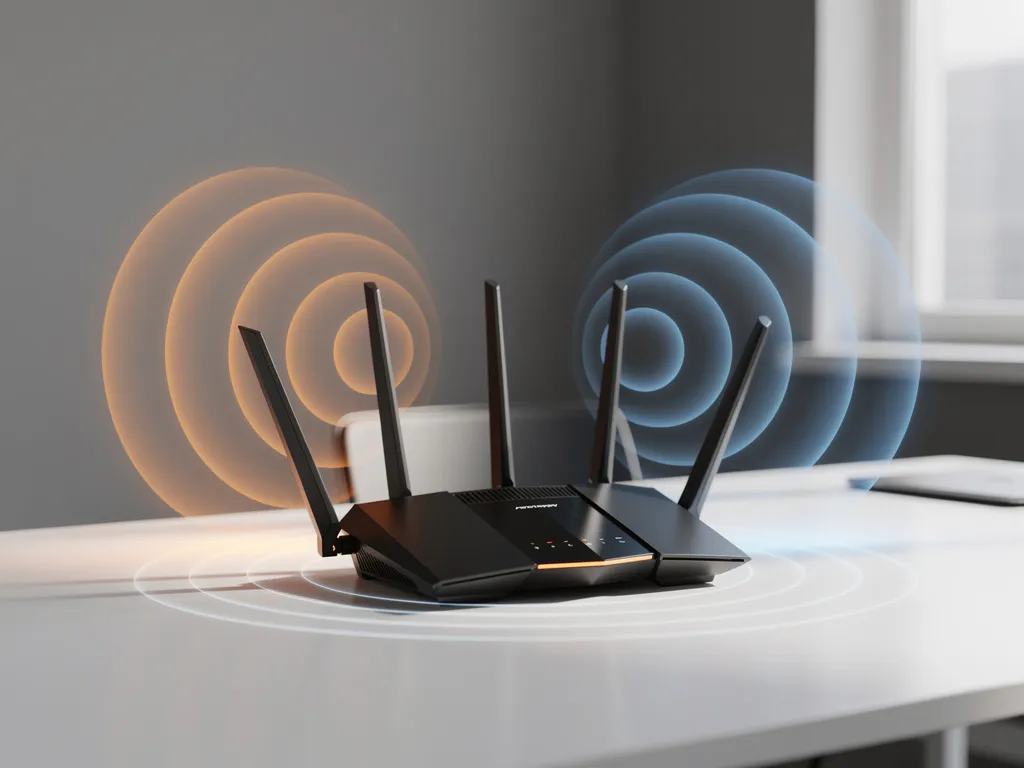
Wi-Fi interference from neighboring networks is one of the most common yet frustrating connectivity issues businesses face today. With the increasing density of wireless networks in office buildings, retail locations, and industrial facilities, overlapping signals can significantly impact your network performance, causing dropped connections, slow speeds, and unreliable internet access that affects daily operations.
Understanding how neighboring networks create interference—and knowing how to identify and resolve these issues—can save your business from costly downtime and frustrated employees. Let’s explore the key aspects of Wi-Fi interference and practical solutions to maintain optimal network performance.
What causes Wi-Fi interference from neighboring networks?
Wi-Fi interference from neighboring networks occurs when multiple wireless routers or access points operate on the same or overlapping radio-frequency channels, creating signal conflicts that degrade network performance. This happens because Wi-Fi networks use shared frequency bands—primarily 2.4 GHz and 5 GHz—with a limited number of non-overlapping channels available.
The 2.4 GHz band is particularly susceptible to interference because, in most regions, it has only three non-overlapping channels (1, 6, and 11). When neighboring networks use the same channel or adjacent, overlapping channels, their signals compete for the same radio spectrum. This creates what’s known as co-channel interference, where multiple networks transmit simultaneously on identical frequencies.
Physical proximity plays a crucial role in the severity of interference. Networks within 30–50 feet of each other are most likely to cause significant interference, especially in dense environments like office buildings, shopping centers, or apartment complexes. The stronger the neighboring signal, the more it can disrupt your network’s performance.
Additionally, older Wi-Fi standards and poorly configured networks can exacerbate interference problems. Legacy devices operating on outdated protocols can create unnecessary network chatter, while improperly positioned access points may broadcast stronger signals than necessary, extending their interference range beyond optimal coverage areas.
How can you tell if neighboring networks are causing Wi-Fi problems?
You can identify interference from neighboring networks by monitoring Wi-Fi performance patterns, conducting signal-strength surveys, and using network analysis tools to detect overlapping channels and signal conflicts in your area.
The most obvious signs include intermittent connectivity drops, significantly slower internet speeds during peak hours, and difficulty connecting devices to your network. These symptoms often worsen during business hours when neighboring offices activate their networks, or during evening hours in residential areas.
Use Wi-Fi analyzer applications on smartphones or laptops to scan for nearby networks. These tools display all detectable networks, their signal strengths, and the channels they’re using. Look for networks operating on the same channel as yours, or on overlapping channels with strong signal-strength indicators.
Network performance monitoring can reveal interference patterns. If your connection quality degrades at consistent times each day—or improves significantly on weekends or holidays when neighboring businesses are closed—interference from nearby networks is likely the culprit.
Physical testing can also help confirm interference. Try moving devices closer to your router or access point. If performance improves dramatically with proximity but degrades quickly with distance, competing signals are likely overwhelming your network’s coverage area.
What’s the difference between Wi-Fi interference and other connectivity issues?
Wi-Fi interference specifically involves radio-signal conflicts between networks, while other connectivity issues stem from hardware problems, internet service provider limitations, or internal network configuration errors that don’t involve external signal competition.
Interference typically manifests as variable performance that fluctuates based on neighboring network activity. Your connection might work perfectly at certain times but struggle during peak usage periods when multiple networks compete for the same channels. This pattern distinguishes interference from consistent hardware failures or ISP-related problems.
Hardware issues, conversely, create consistent problems regardless of time or external factors. A failing router, damaged Ethernet cables, or overheating equipment can produce steady performance degradation that doesn’t correlate with neighboring network usage patterns.
ISP-related problems affect your entire internet connection, not just Wi-Fi performance. If Ethernet-connected devices experience the same speed or connectivity issues as wireless devices, the problem likely originates with your internet service provider rather than Wi-Fi interference.
Internal network configuration problems, such as incorrect router settings, outdated firmware, or bandwidth limitations, typically affect all connected devices equally and persist regardless of external network activity. These issues require internal troubleshooting rather than interference-mitigation strategies.
How do you fix Wi-Fi interference from neighboring networks?
Fix Wi-Fi interference by changing your network’s channel to avoid conflicts, upgrading to less congested frequency bands, optimizing router placement, and implementing advanced configuration settings that minimize signal overlap with neighboring networks.
Channel optimization is the most effective immediate solution. Use Wi-Fi analyzer tools to identify the least congested channels in your area, then manually configure your router to use those channels instead of relying on automatic selection. For 2.4 GHz networks, stick to channels 1, 6, or 11, while 5 GHz networks offer many more non-overlapping options.
Upgrade to dual-band or tri-band routers that support 5 GHz frequencies. The 5 GHz band typically experiences less interference due to its shorter range and greater number of available channels. Modern devices can connect to 5 GHz networks while maintaining 2.4 GHz compatibility for older equipment.
Strategic router placement reduces the impact of interference. Position your router or access points away from walls shared with neighboring businesses, elevate them above desk level, and avoid placing them near windows, where signals can easily reach external networks. Central placement within your coverage area maximizes signal strength for your devices while minimizing interference from distant networks.
Reduce transmission power if your router allows power adjustment. Lower power settings decrease your network’s interference footprint while maintaining adequate coverage for your space. This approach is particularly effective in dense environments where multiple networks operate in close proximity.
When should businesses call professional IT support for Wi-Fi interference?
Businesses should call professional IT support when Wi-Fi interference significantly impacts operations, when basic troubleshooting fails to resolve persistent connectivity issues, or when managing complex, multi-location networks requires specialized expertise and enterprise-grade solutions.
Consider professional assistance when interference affects mission-critical applications, causes frequent video-conference disruptions, or results in measurable productivity losses. Professional technicians can conduct comprehensive site surveys, implement enterprise-grade solutions, and provide ongoing monitoring that helps prevent future interference problems.
Complex environments with multiple access points, guest networks, or specialized equipment require professional configuration to minimize interference while maintaining security and performance standards. DIY solutions often fall short in these scenarios, potentially creating security vulnerabilities or compliance issues.
Businesses experiencing recurring interference problems despite attempting basic fixes should seek professional help. Persistent issues often indicate underlying infrastructure problems, inadequate equipment, or environmental factors that require specialized knowledge and tools to resolve effectively.
How IMPLI-CIT helps with Wi-Fi interference issues
We provide comprehensive Wi-Fi interference solutions through our experienced field engineers and data center specialists, who conduct thorough network assessments, implement optimized configurations, and deliver ongoing support to maintain reliable connectivity across your business locations.
Our approach to resolving Wi-Fi interference includes:
- Complete site surveys to identify interference sources and optimal channel configurations
- Professional equipment recommendations and installation for enterprise-grade wireless infrastructure
- Strategic access point placement and power optimization to minimize the impact of interference
- Ongoing monitoring and proactive adjustments to maintain optimal network performance
- 24/7 emergency support for critical connectivity issues that affect business operations
With over 20 years of experience providing IT services to globally operating businesses, our certified technicians understand the complexities of Wi-Fi interference in diverse environments. We work as an extension of your internal IT team, ensuring your wireless infrastructure supports reliable operations across all locations. Contact us today to discuss how we can optimize your wireless network performance and eliminate interference problems.
[seoaic_faq][{“id”:0,”title”:”How often should I check for Wi-Fi interference in my business network?”,”content”:”You should monitor for Wi-Fi interference monthly during normal operations and immediately when you notice performance issues. In high-density environments like office buildings or retail centers, consider weekly checks during peak hours. Set up automated monitoring tools to alert you when interference levels spike, and always reassess after new businesses move into nearby spaces.”},{“id”:1,”title”:”Can I use the same Wi-Fi channel as my neighbor if our signals don’t overlap much?”,”content”:”Avoid using the same channel even with minimal signal overlap, as interference can still occur and worsen as conditions change. Signal strength varies throughout the day due to environmental factors, device usage, and physical obstructions. Instead, choose the least congested non-overlapping channel (1, 6, or 11 for 2.4 GHz) to ensure consistent performance.”},{“id”:2,”title”:”What’s the best way to handle Wi-Fi interference in a multi-story office building?”,”content”:”Coordinate channel usage vertically across floors and implement a structured wireless plan. Use different non-overlapping channels on adjacent floors, position access points strategically to minimize vertical signal bleed, and consider enterprise-grade solutions with centralized management. Professional site surveys can map optimal placement and power settings for complex multi-floor environments.”},{“id”:3,”title”:”Will upgrading to Wi-Fi 6 automatically solve interference problems?”,”content”:”Wi-Fi 6 improves interference handling through better channel management and efficiency features, but it won’t eliminate interference from neighboring networks entirely. You’ll still need to optimize channel selection and placement. However, Wi-Fi 6’s improved performance in congested environments and better device management can significantly reduce the impact of interference on your network.”},{“id”:4,”title”:”How do I convince neighboring businesses to coordinate Wi-Fi channels?”,”content”:”Approach neighbors professionally with a mutual benefit proposal, explaining how coordinated channel usage improves performance for everyone. Offer to share Wi-Fi analysis data showing current interference levels and suggest a simple channel assignment plan. Many businesses are willing to cooperate once they understand the performance benefits, especially if you provide technical guidance for implementation.”},{“id”:5,”title”:”What should I do if interference problems return after implementing fixes?”,”content”:”First, verify that your channel settings haven’t reverted to automatic selection, then re-scan for new networks or changes in neighboring network configurations. Document when interference occurs to identify patterns, and consider that new businesses, seasonal changes, or equipment updates in nearby locations can alter the interference landscape. Persistent issues may require professional assessment and enterprise-grade solutions.”},{“id”:6,”title”:”Are there legal restrictions on Wi-Fi signal strength or interference mitigation?”,”content”:”Wi-Fi equipment must comply with FCC regulations for power output and frequency usage, but there are no specific laws about interference between networks using legal equipment. You cannot intentionally jam or interfere with other networks, but you can optimize your own network’s configuration, placement, and power settings. Focus on improving your network’s performance rather than attempting to suppress neighboring signals.”}][/seoaic_faq]